You are currently viewing documentation for CompuTec ProcessForce 2.0, which will be supported only until December 31, 2026. After this date, the product will no longer receive regular support or maintenance updates.
We recommend upgrading to CompuTec ProcessForce 3.0, which is a plugin installed and managed through CompuTec AppEngine 3.0, built on .NET 8.
However, please note that CompuTec AppEngine 3.0 has a different architecture, and all CompuTec components, including the CompuTec ProcessForce 3.0 plugin, need to be updated together to ensure full compatibility.
Before starting your installation or upgrade process, we strongly recommend reviewing the CompuTec AppEngine 3.0 and CompuTec ProcessForce 3.0 documentation.
Quality Control tab
The Quality Control tab in the Additional Details Form provides a centralized view of all Quality Control (QC) tests associated with a batch. It includes key information such as the Compliant Number and Non-Conforming Materials Report, ensuring effective batch monitoring and compliance management.
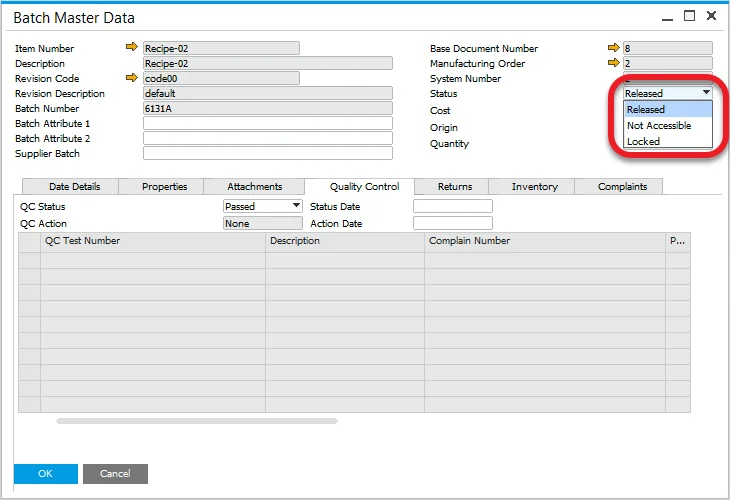
Status
Displays the SAP Business One Status field, with a default status set based on configuration settings.
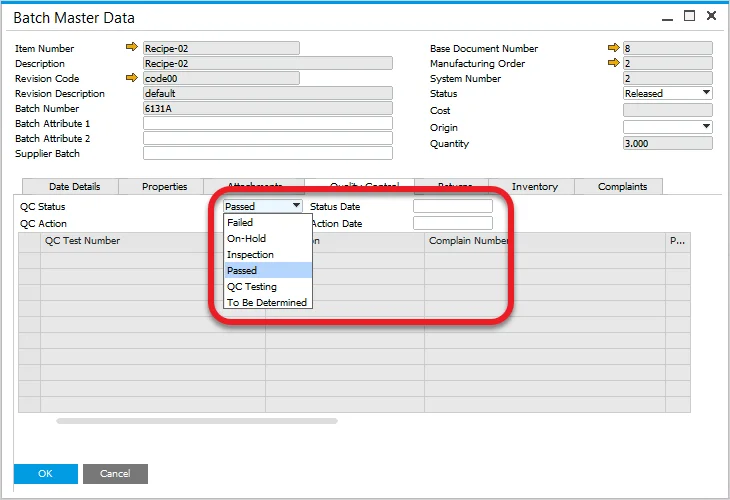
QC Status
Indicates the batch’s quality status, determined by predefined configuration settings.
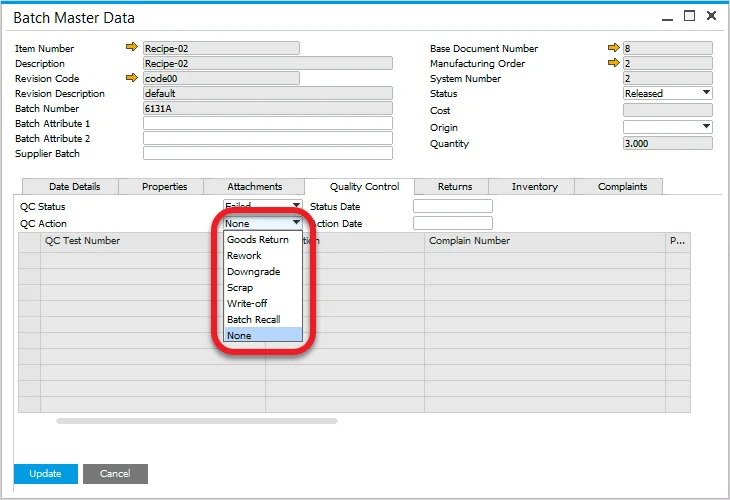
QC Action
Used to define corrective actions if the batch fails the quality control test.
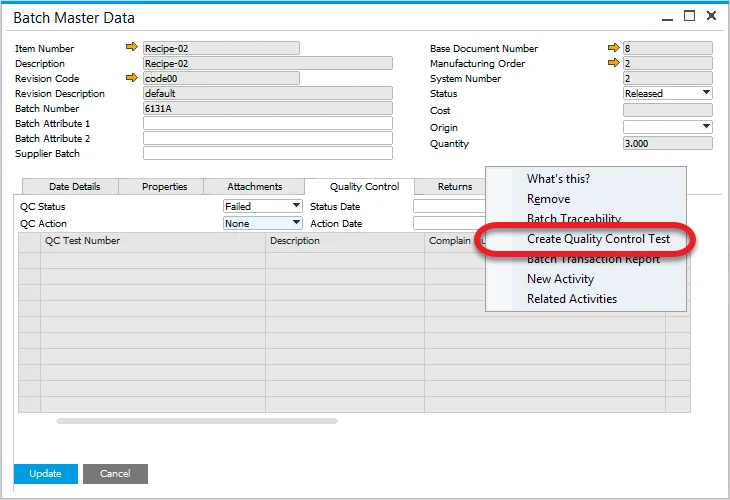
Creating a Quality Control Test
A Quality Control Test can be initiated from the menu if a Test Protocol is assigned to the item. More details can be found here.