You are currently viewing documentation for CompuTec ProcessForce 2.0, which will be supported only until December 31, 2026. After this date, the product will no longer receive regular support or maintenance updates.
We recommend upgrading to CompuTec ProcessForce 3.0, which is a plugin installed and managed through CompuTec AppEngine 3.0, built on .NET 8.
However, please note that CompuTec AppEngine 3.0 has a different architecture, and all CompuTec components, including the CompuTec ProcessForce 3.0 plugin, need to be updated together to ensure full compatibility.
Before starting your installation or upgrade process, we strongly recommend reviewing the CompuTec AppEngine 3.0 and CompuTec ProcessForce 3.0 documentation.
Items tab
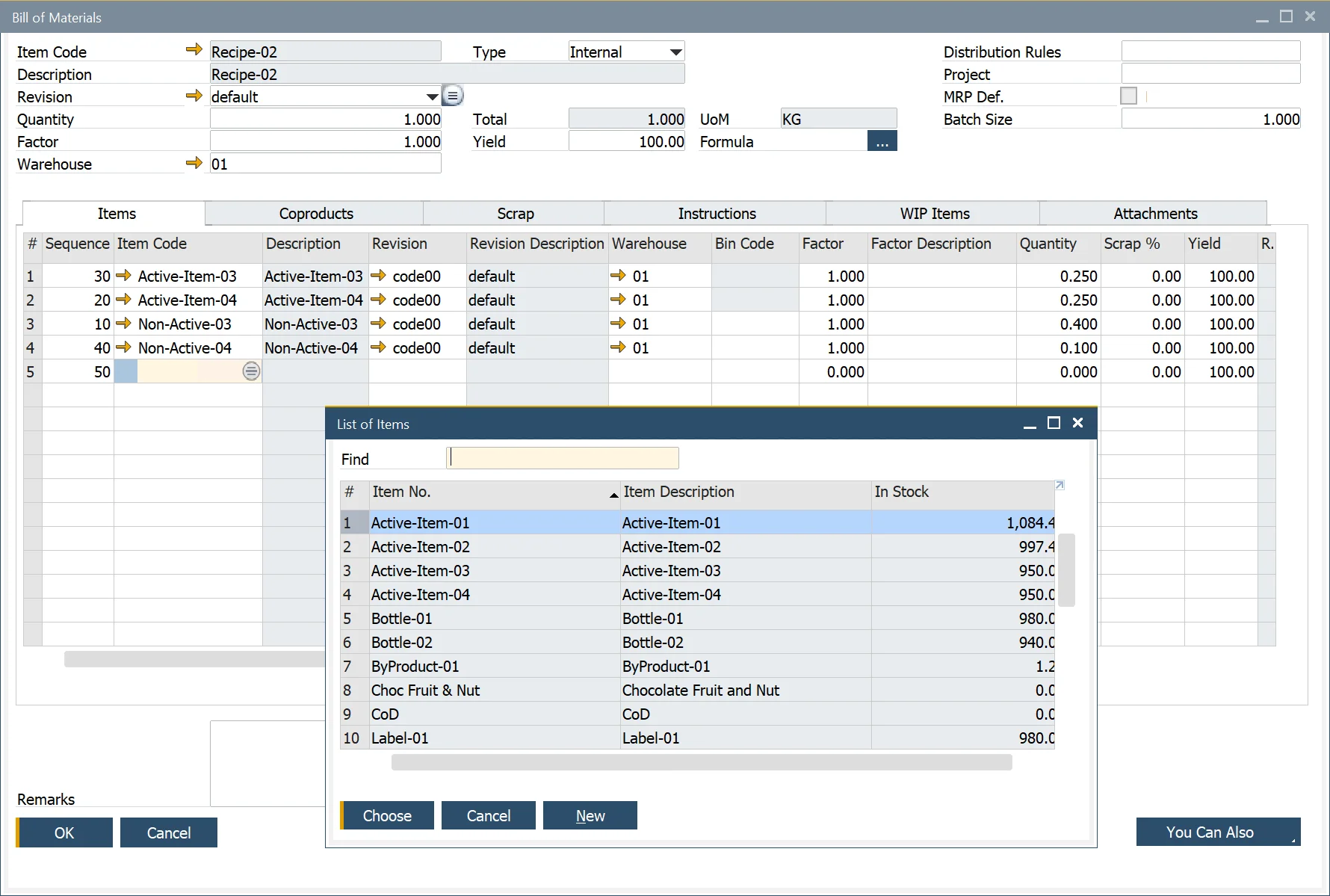
In the Bill of Materials (BOM) module, the Items tab plays a crucial role in defining the components required to produce a parent product. This section allows users to manage and configure the materials, quantities, and related settings essential for the manufacturing process.
To access Items tab, navigate to:
Production → Bill of Materials → Bill of Material → Items Tab
Key Functionalities
This form allows the user to perform the following:
- Component Entry: users can list all the components necessary for producing the parent product.
- Warehouse Assignment: specifies where the inventory is stored and, if backflushed, where deductions occur.
- Factor & Description: the Factor acts as a variable to adjust the quantity dynamically
- Quantity: users can set the number of items required per unit of the parent product.
- Scrap % Inclusion: accounts for expected material wastage, affecting the total item quantity.
- Result Calculation: automatically computes the relationship between item and parent product quantity using a predefined or customized Formula See Formula for additional information.
- Unit of Measure (UoM): defined in the Item Master Data/Inventory Tab, ensuring accurate unit tracking.
- Type (Make or Buy): display-only field that indicates whether the component is produced in-house or procured externally. This is determined in the Item Master Data/Planning Data Tab..
- Issue Type Selection: determines whether inventory issuance follows a Manual or Backflush method. The default setting is found in the Item Master Data/General Tab.
- Project Codes: allows users to assign project-specific codes to each line item for tracking purposes.