You are currently viewing documentation for CompuTec ProcessForce 3.0, which is a plugin installed and managed through CompuTec AppEngine 3.0, built on .NET 8. If you are working with older environments, you may need the documentation for CompuTec ProcessForce 2.0: https://learn.computec.one/docs/processforce/2.0/.
Please note that CompuTec ProcessForce 2.0 will be supported only until December 31, 2026. After this date, the product will no longer receive regular support or maintenance updates. Read more
CompuTec AppEngine 3.0 introduces a new architecture, and all CompuTec components, including the CompuTec ProcessForce 3.0 plugin, must be updated together to ensure full compatibility.
Before starting your installation or upgrade process, we strongly recommend reviewing the CompuTec AppEngine 3.0 and CompuTec ProcessForce 3.0 documentation.
Overview
Batches are collections of identical products and serve as the foundation for traceability. This functionality enables tracking raw materials at every stage of production and monitoring products during distribution. Traceability is essential for ensuring quality control and facilitating swift recall processes when necessary.
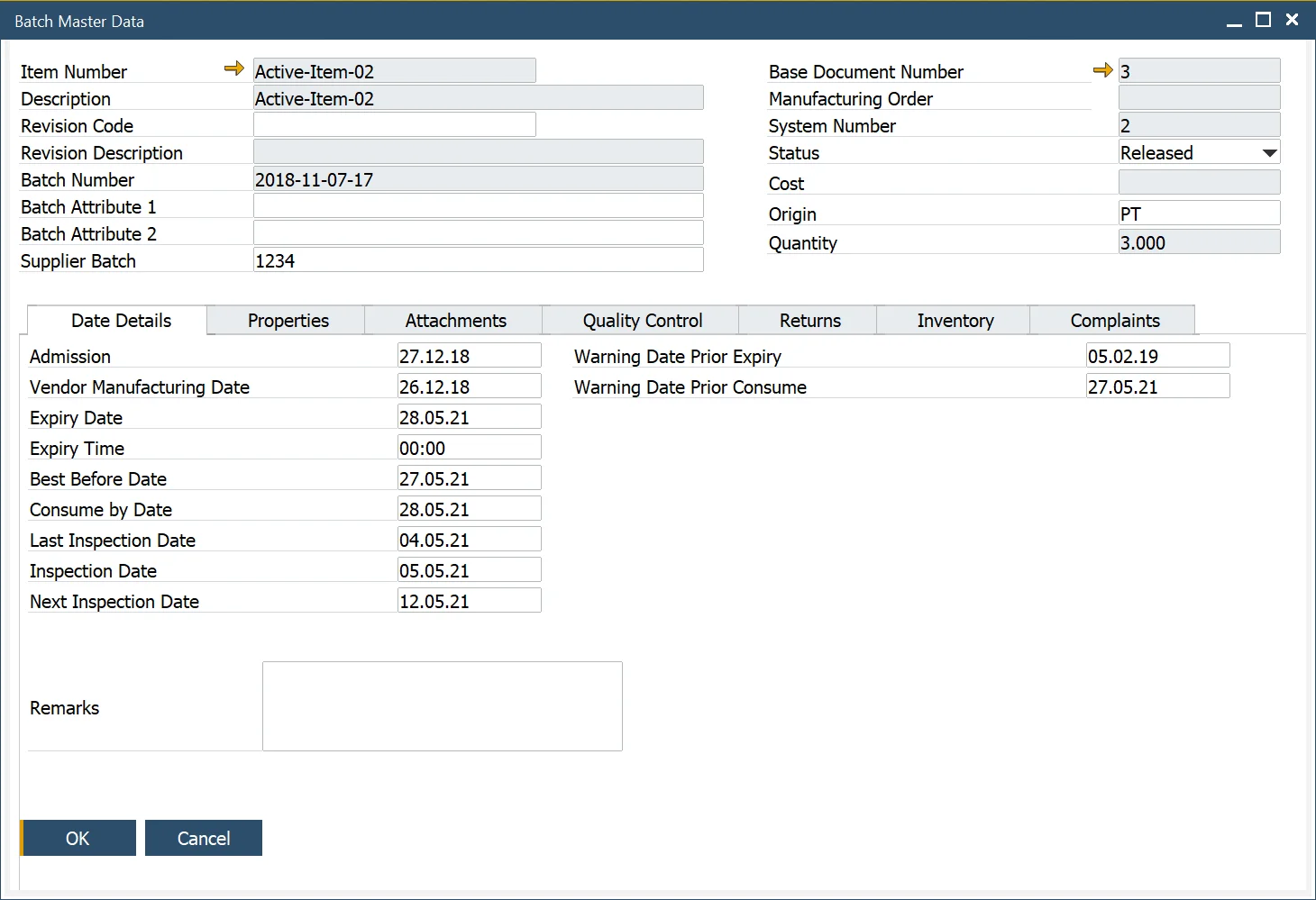
The SAP Business One Batch Details form and the CompuTec ProcessForce Batch Master Data form have now been merged into a single, unified interface. All relevant SAP Business One and CompuTec ProcessForce documents and reports will navigate to this consolidated form for improved efficiency.
Note: When adding User-Defined Fields (UDFs) to the SAP Business One Batch Details Table, ensure that the same UDFs (with identical names and formats) are also added to the CompuTec ProcessForce Additional Batch Tables.
Inventory → Item Management → Batches