You are currently viewing documentation for CompuTec ProcessForce 3.0, which is a plugin installed and managed through CompuTec AppEngine 3.0, built on .NET 8. If you are working with older environments, you may need the documentation for CompuTec ProcessForce 2.0: https://learn.computec.one/docs/processforce/2.0/.
Please note that CompuTec ProcessForce 2.0 will be supported only until December 31, 2026. After this date, the product will no longer receive regular support or maintenance updates. Read more
CompuTec AppEngine 3.0 introduces a new architecture, and all CompuTec components, including the CompuTec ProcessForce 3.0 plugin, must be updated together to ensure full compatibility.
Before starting your installation or upgrade process, we strongly recommend reviewing the CompuTec AppEngine 3.0 and CompuTec ProcessForce 3.0 documentation.
Overview
CompuTec ProcessForce scheduling solution supports efficient management and real-time planning of Manufacturing Orders (MOs) through a visual and interactive Gantt chart. This system considers various production constraints - including resource availability, calendar setups, and overlapping operations - making it easier for planners to optimize schedules and respond dynamically to shop floor realities.
What is the Scheduling Module?
The scheduling module in CompuTec ProcessForce helps manufacturers coordinate production activities by offering a centralized and interactive tool to:
- Visualize Manufacturing Orders across time and resources.
- Identify resource bottlenecks or conflicts.
- Adjust start/end times dynamically.
- Filter and sort based on project, customer, sales order, MO number, and more.
It serves as the central planning cockpit to monitor progress and modify workloads efficiently.
Key Components of the Scheduling Setup
Resources
Resources are the backbone of production scheduling. Resources represent machines, labor, or work centers involved in production. Accurate resource definitions are crucial for effective scheduling and workload distribution. Setting up and managing resources ensures efficient utilization within the plant.
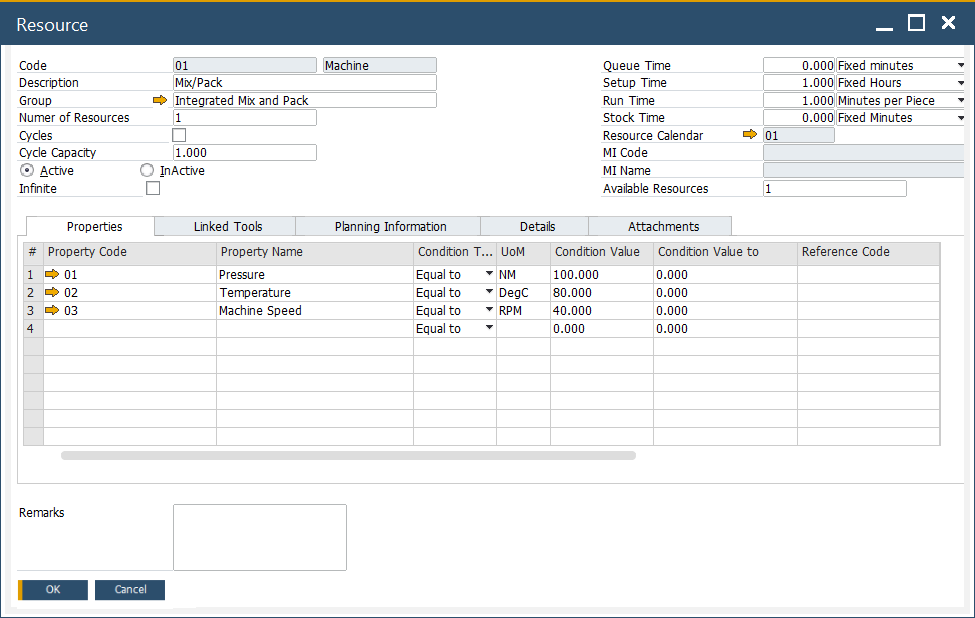
➡️ Learn how to define and manage resources
Calendars
Resource calendars define working hours, shift patterns, weekends, and holidays. These directly impact schedule feasibility and capacity planning.
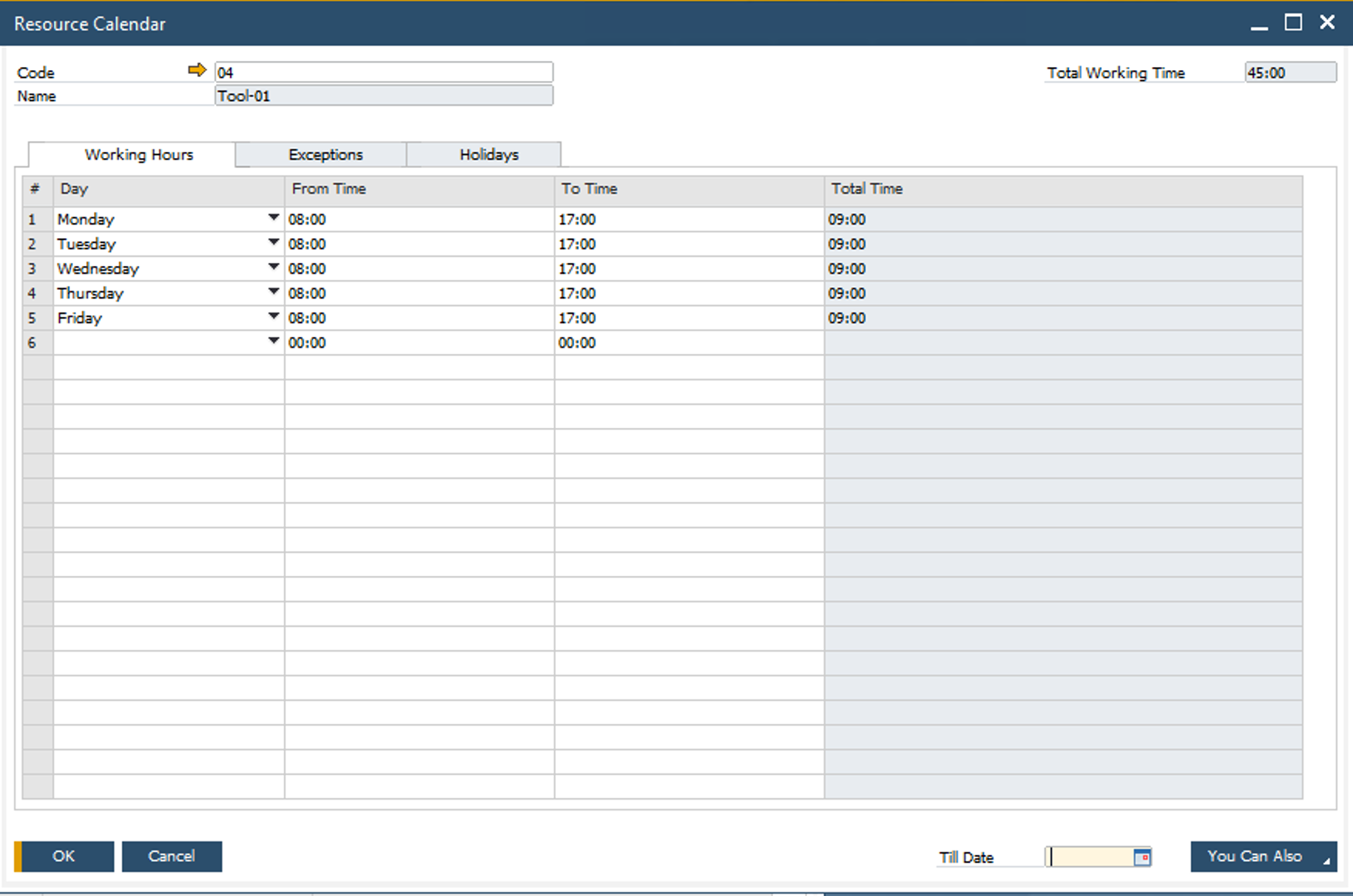
➡️ Learn how to Set up resource calendars
Tooling
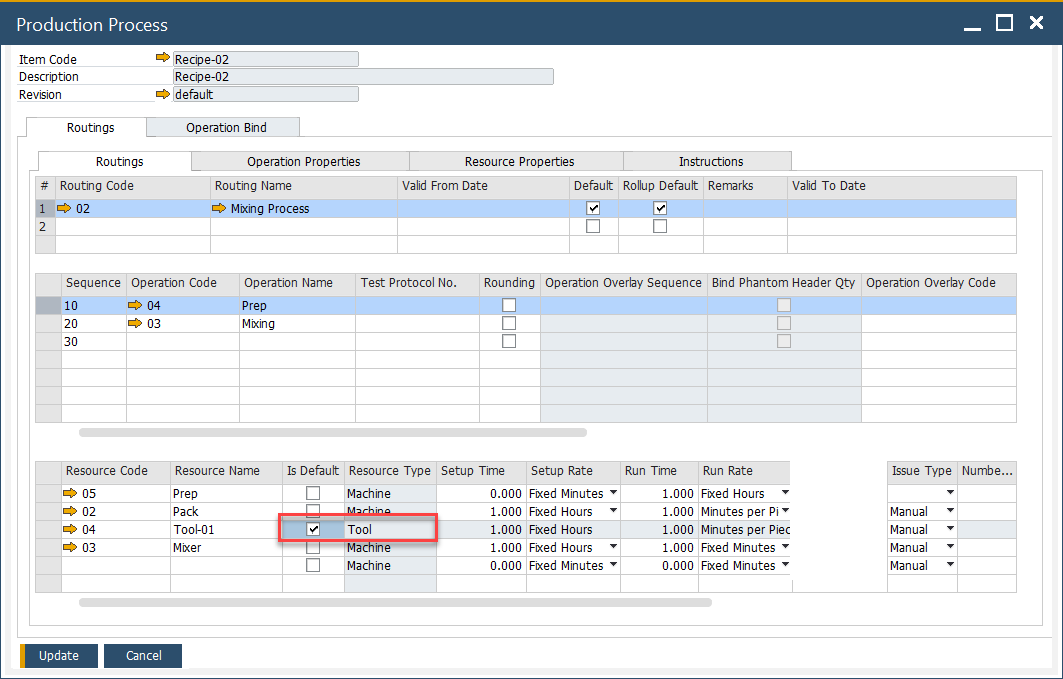
Tooling resources refer to specific tools or machines that must be available and assigned for a given MO or operation. These need to be defined to prevent conflicts and ensure production precision.
➡️ Explore tooling configuration.