You are currently viewing documentation for CompuTec ProcessForce 2.0, which will be supported only until December 31, 2026. After this date, the product will no longer receive regular support or maintenance updates.
We recommend upgrading to CompuTec ProcessForce 3.0, which is a plugin installed and managed through CompuTec AppEngine 3.0, built on .NET 8.
However, please note that CompuTec AppEngine 3.0 has a different architecture, and all CompuTec components, including the CompuTec ProcessForce 3.0 plugin, need to be updated together to ensure full compatibility.
Before starting your installation or upgrade process, we strongly recommend reviewing the CompuTec AppEngine 3.0 and CompuTec ProcessForce 3.0 documentation.
Receipt by Operation
Efficiently tracking material receipts during production is essential for maintaining accuracy in manufacturing processes. The Receipt by Operation function allows users to record received materials at different operation stages, ensuring proper documentation of outputs, co-products, and scrap. This guide outlines the process of handling receipts by operation.
Receipt for Operation
To create a receipt for an operation:
-
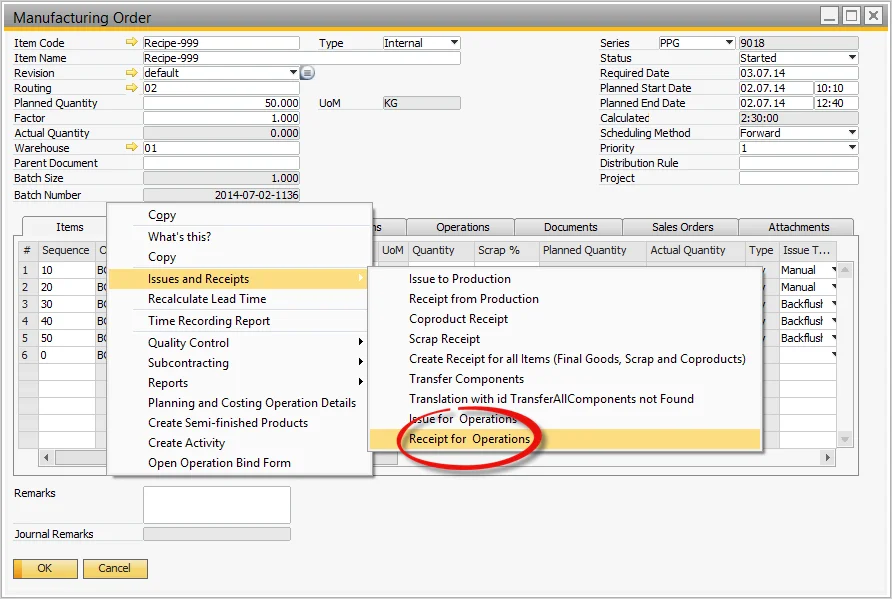
Select the Receipt for Operation from the Manufacturing Order's context menu.
-
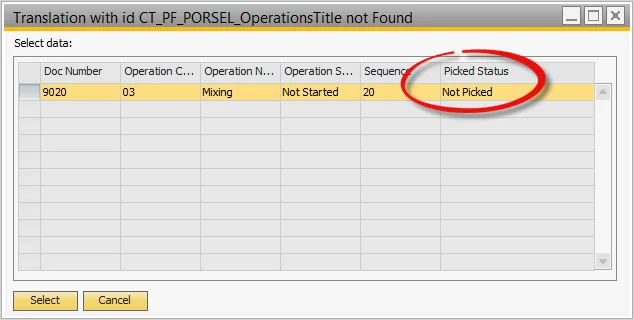
A list of Operations will be displayed, along with linked Co-Product and Scrap Outputs.
Pick Receipt
-
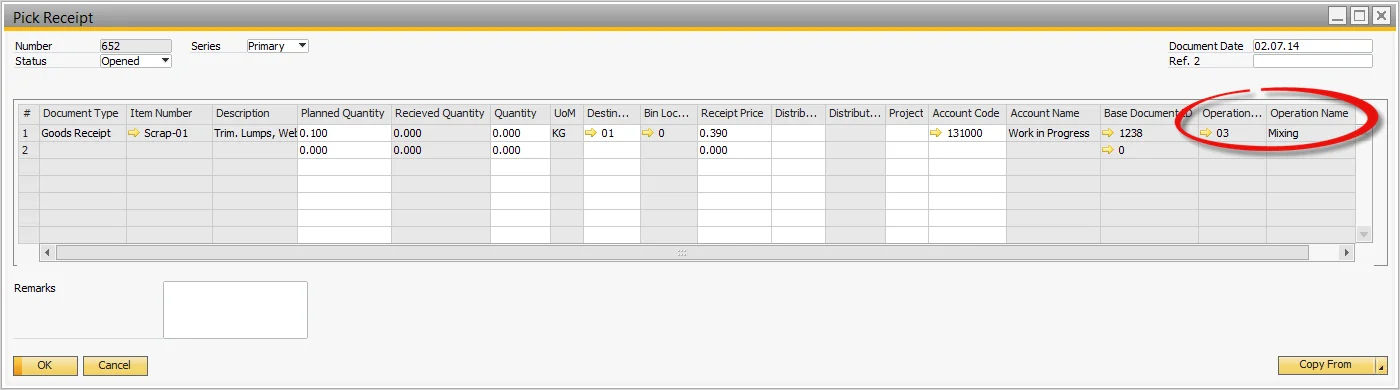
The Pick Receipt form opens, displaying the output items.
-
The corresponding Operation number and name are referenced for traceability.
-
Complete the rest of the Pick Receipt process as per standard procedures.