You are currently viewing documentation for CompuTec ProcessForce 2.0, which will be supported only until December 31, 2026. After this date, the product will no longer receive regular support or maintenance updates.
We recommend upgrading to CompuTec ProcessForce 3.0, which is a plugin installed and managed through CompuTec AppEngine 3.0, built on .NET 8.
However, please note that CompuTec AppEngine 3.0 has a different architecture, and all CompuTec components, including the CompuTec ProcessForce 3.0 plugin, need to be updated together to ensure full compatibility.
Before starting your installation or upgrade process, we strongly recommend reviewing the CompuTec AppEngine 3.0 and CompuTec ProcessForce 3.0 documentation.
Batch Controlled Items
Effective batch management ensures accurate inventory tracking and optimized stock movement in a warehouse. In this guide, we explore two key methods for picking batch-controlled items: Manual Picking and Auto Select Picking.
Manual Picking
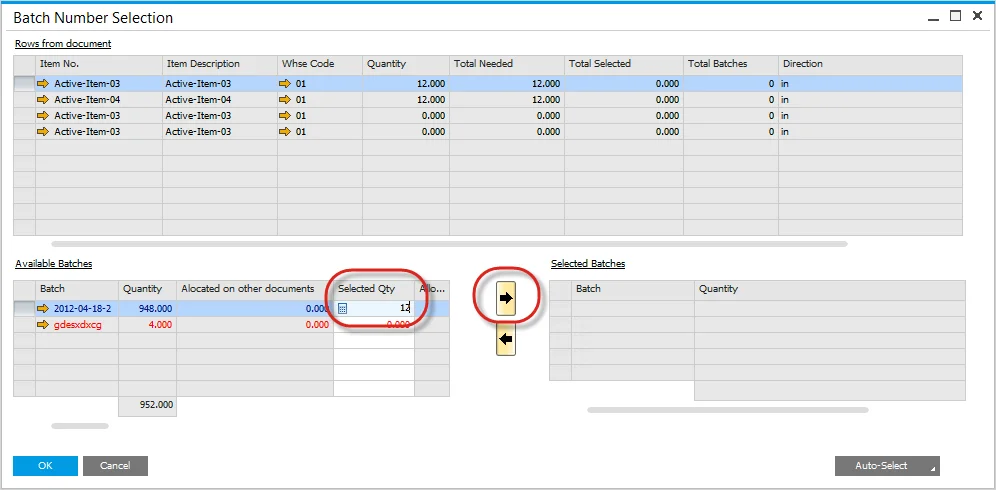
With manual picking, users can enter the required quantity and press the right arrow. The system then assigns bin allocation automatically, following predefined bin allocation rules.
Auto Select Picking
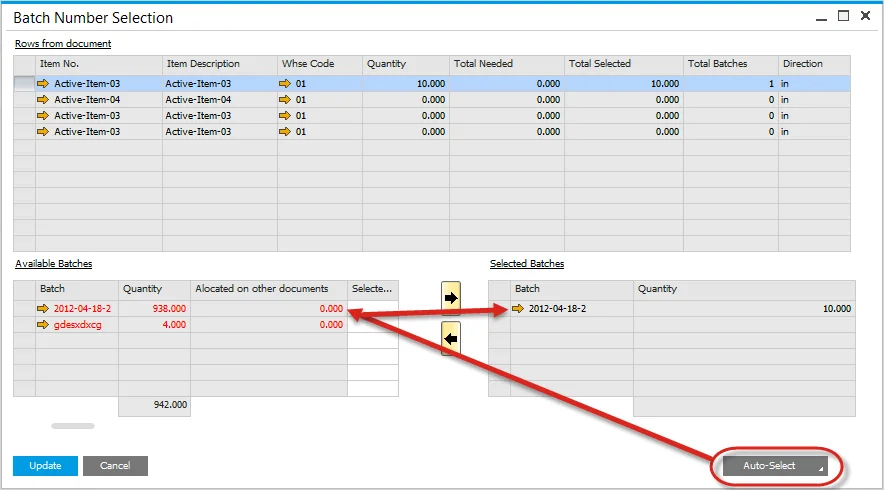
The Auto Select function streamlines batch picking by automatically allocating stock based on batch allocation rules such as FIFO (First In, First Out), FEFO (First Expired, First Out), and FMFO (First Manufactured, First Out). When a user selects Auto Select, the system determines the required quantity and assigns the appropriate bin allocation accordingly.
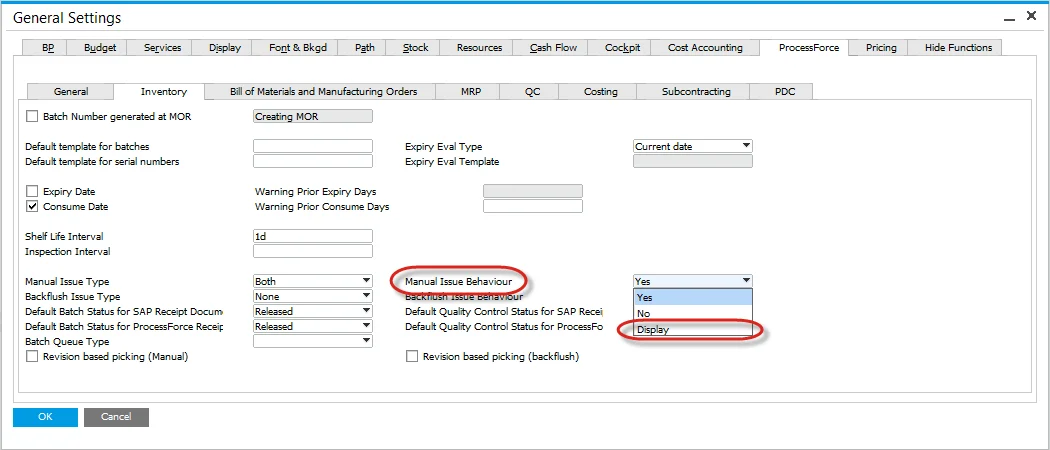
However, if the Manual Issue Behavior setting in General Settings is configured to Display, the Auto Select function will not pick the batch, requiring users to manually confirm batch selection.