You are currently viewing documentation for CompuTec ProcessForce 2.0, which will be supported only until December 31, 2026. After this date, the product will no longer receive regular support or maintenance updates.
We recommend upgrading to CompuTec ProcessForce 3.0, which is a plugin installed and managed through CompuTec AppEngine 3.0, built on .NET 8.
However, please note that CompuTec AppEngine 3.0 has a different architecture, and all CompuTec components, including the CompuTec ProcessForce 3.0 plugin, need to be updated together to ensure full compatibility.
Before starting your installation or upgrade process, we strongly recommend reviewing the CompuTec AppEngine 3.0 and CompuTec ProcessForce 3.0 documentation.
Issue to Operation Alternative Processes
In manufacturing, handling material issues efficiently is crucial for maintaining smooth operations. This guide outlines two ways to issue materials to operations using alternative processes - directly from the Operations tab or through the Pick Order process.
The Issue to Operation from the Operations tab
To issue materials directly from the Operations tab:
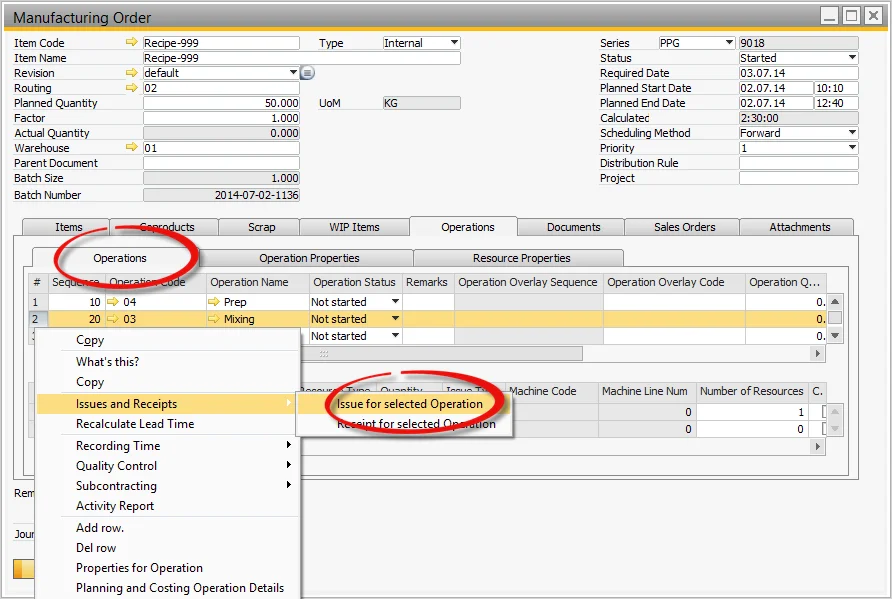
- Select the Operations tab.
- Select the relevant Operation.
- Select Issue for selected Operation.
Copying Issue to Operation from the Pick Order Process
Another way to issue materials is through the Pick Order Process, which allows for bulk issuance:
-
Open the Manufacturing Order from the Menu.
-
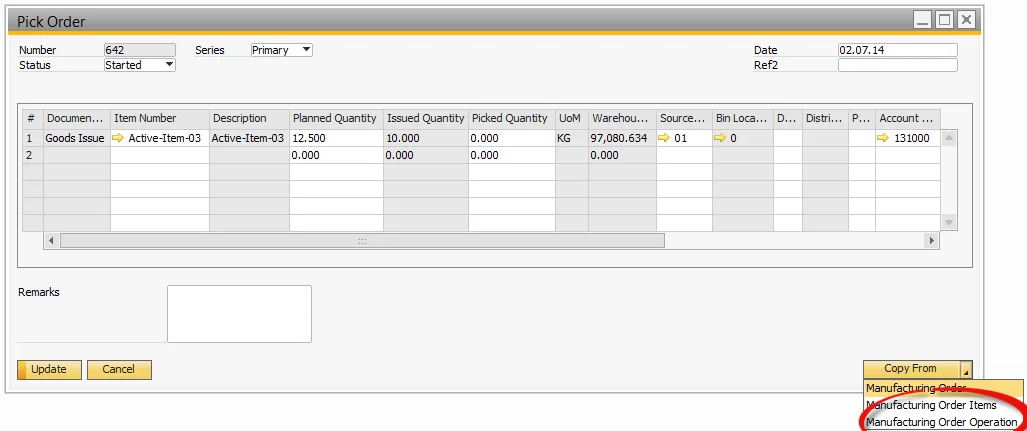
Select the Pick Order linked to the order.
-
Click Copy From and choose Manufacturing Order Operation.
-
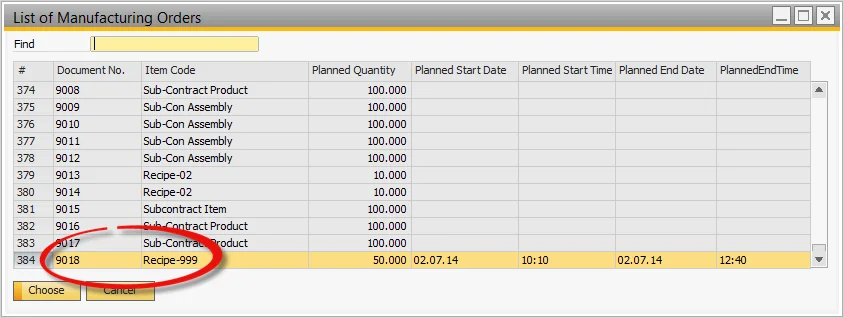
A list of Manufacturing Orders will be displayed. Select one or multiple orders.
-
The corresponding Operations for the selected orders will be listed. Choose one or multiple rows.
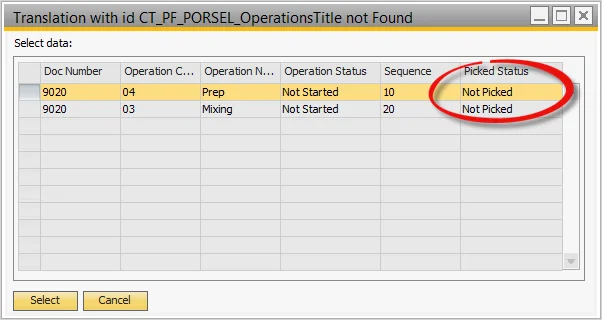
-
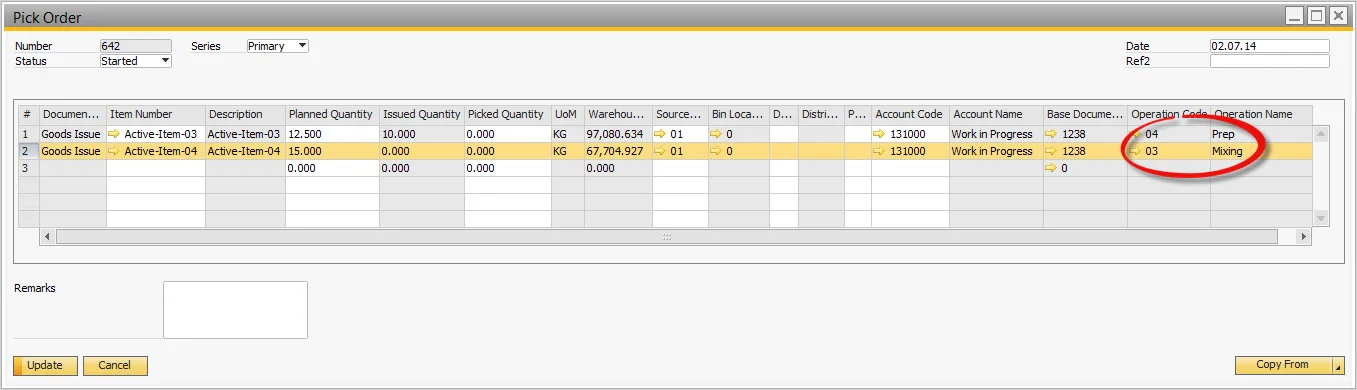
The items linked to the selected operations are copied into the Pick Order.