You are currently viewing documentation for CompuTec ProcessForce 3.0, which is a plugin installed and managed through CompuTec AppEngine 3.0, built on .NET 8. If you are working with older environments, you may need the documentation for CompuTec ProcessForce 2.0: https://learn.computec.one/docs/processforce/2.0/.
Please note that CompuTec ProcessForce 2.0 will be supported only until December 31, 2026. After this date, the product will no longer receive regular support or maintenance updates. Read more
CompuTec AppEngine 3.0 introduces a new architecture, and all CompuTec components, including the CompuTec ProcessForce 3.0 plugin, must be updated together to ensure full compatibility.
Before starting your installation or upgrade process, we strongly recommend reviewing the CompuTec AppEngine 3.0 and CompuTec ProcessForce 3.0 documentation.
View Planned Resource Capacity
This section explains how to view and manage the planned capacity of resources. Monitoring resource capacity helps ensure efficient scheduling and prevents overloading, enabling smooth production processes.
Resources tab
-
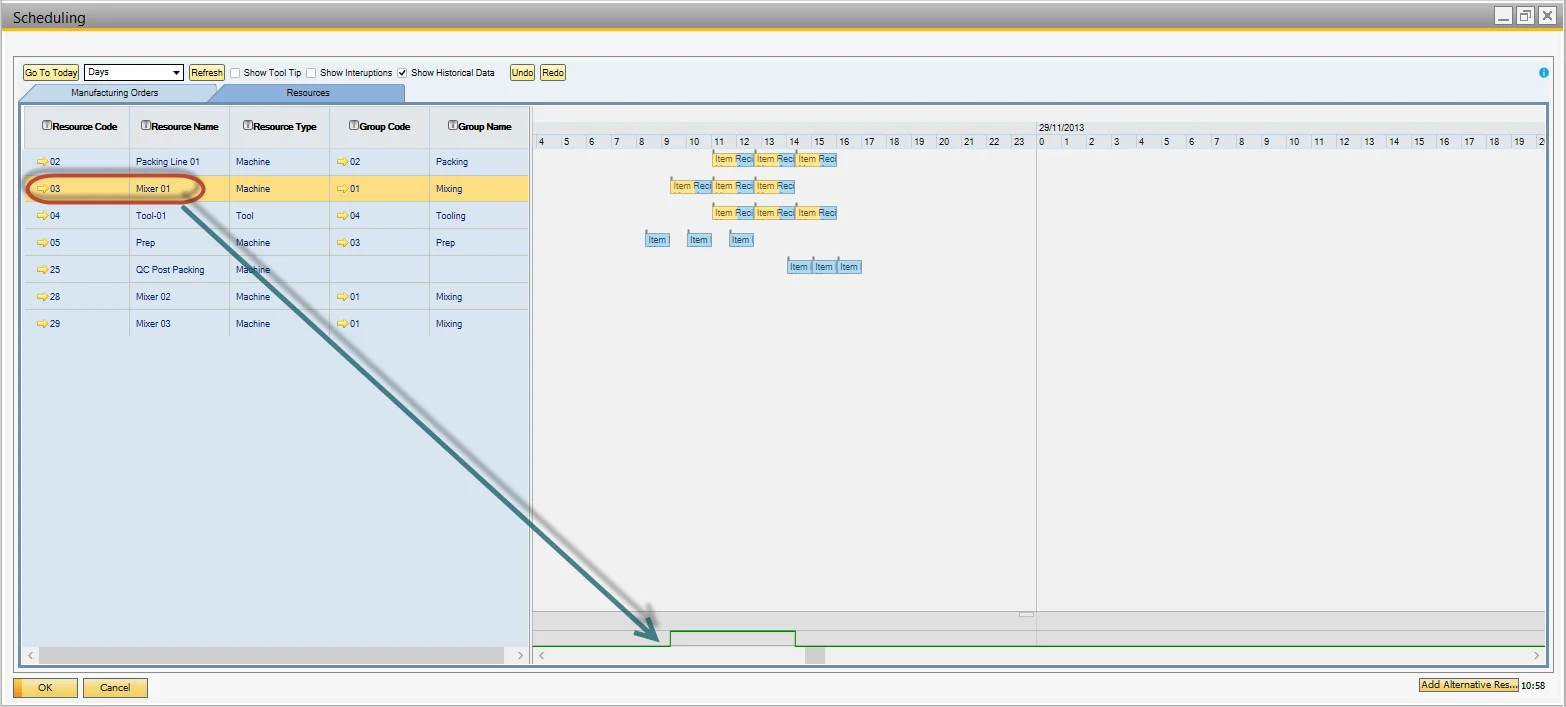
Select the desired resource by clicking on its row.
-
The bottom of the Gantt chart displays the consumed capacity.
-
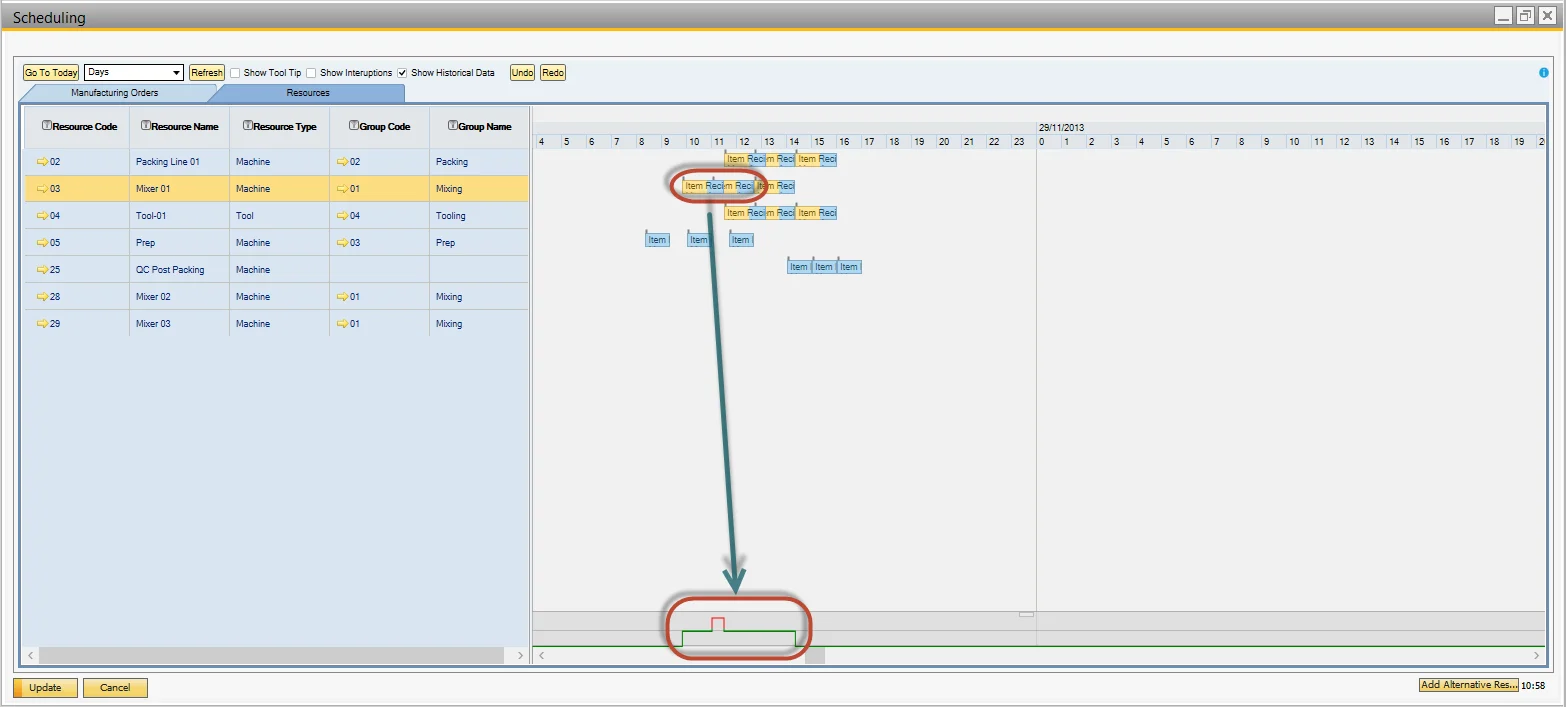
Drag a resource block to a different period.
-
Capacity is auto-calculated and displays overload.
Manufacturing Orders tab
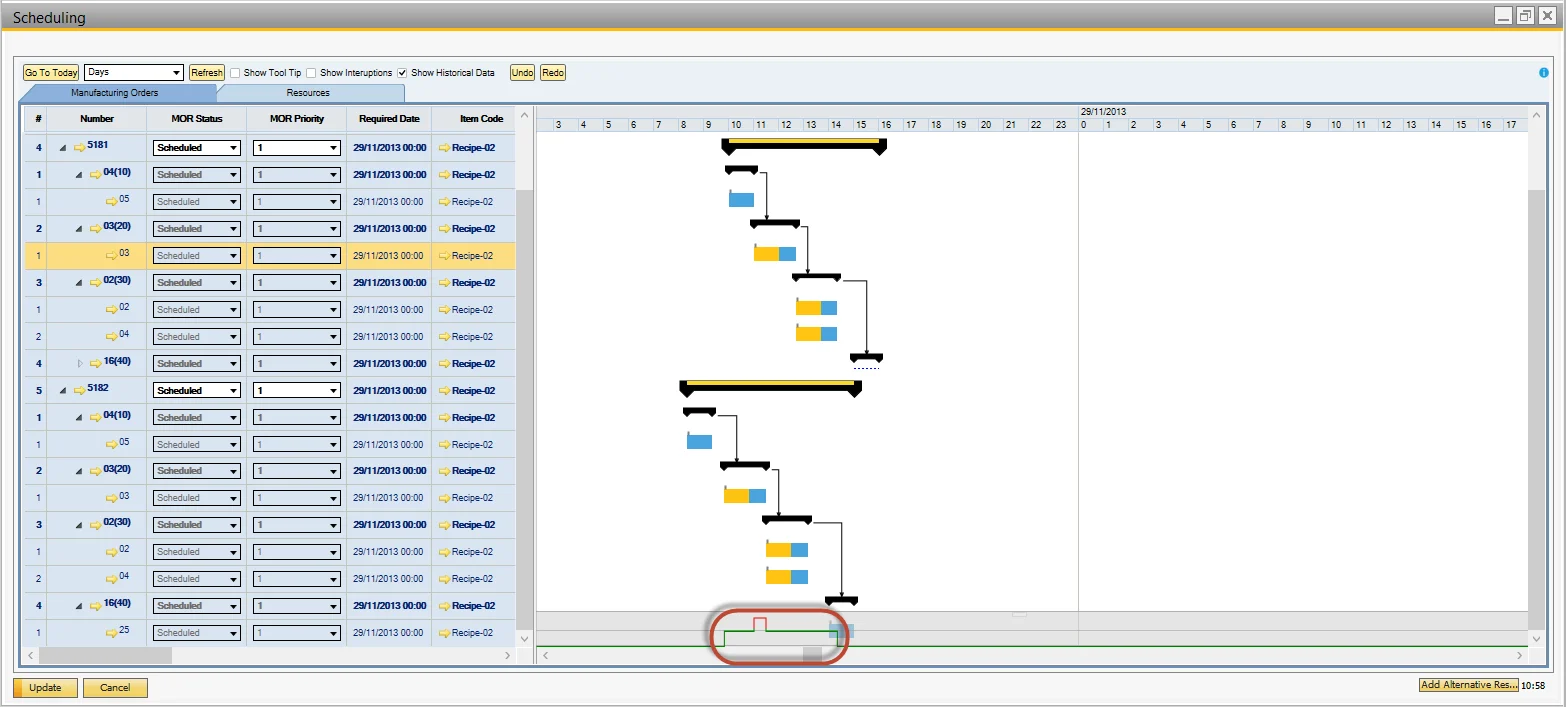
Follow the same navigation steps as described above to view resource capacity in the Manufacturing Orders tab.