You are currently viewing documentation for CompuTec ProcessForce 3.0, which is a plugin installed and managed through CompuTec AppEngine 3.0, built on .NET 8. If you are working with older environments, you may need the documentation for CompuTec ProcessForce 2.0: https://learn.computec.one/docs/processforce/2.0/.
Please note that CompuTec ProcessForce 2.0 will be supported only until December 31, 2026. After this date, the product will no longer receive regular support or maintenance updates. Read more
CompuTec AppEngine 3.0 introduces a new architecture, and all CompuTec components, including the CompuTec ProcessForce 3.0 plugin, must be updated together to ensure full compatibility.
Before starting your installation or upgrade process, we strongly recommend reviewing the CompuTec AppEngine 3.0 and CompuTec ProcessForce 3.0 documentation.
Manufacturing Order Statuses
Each Manufacturing Order (MO) is assigned a status that defines what actions can be performed at different stages of production. The status, managed from the Manufacturing Order header, is critical for controlling and tracking production workflows.
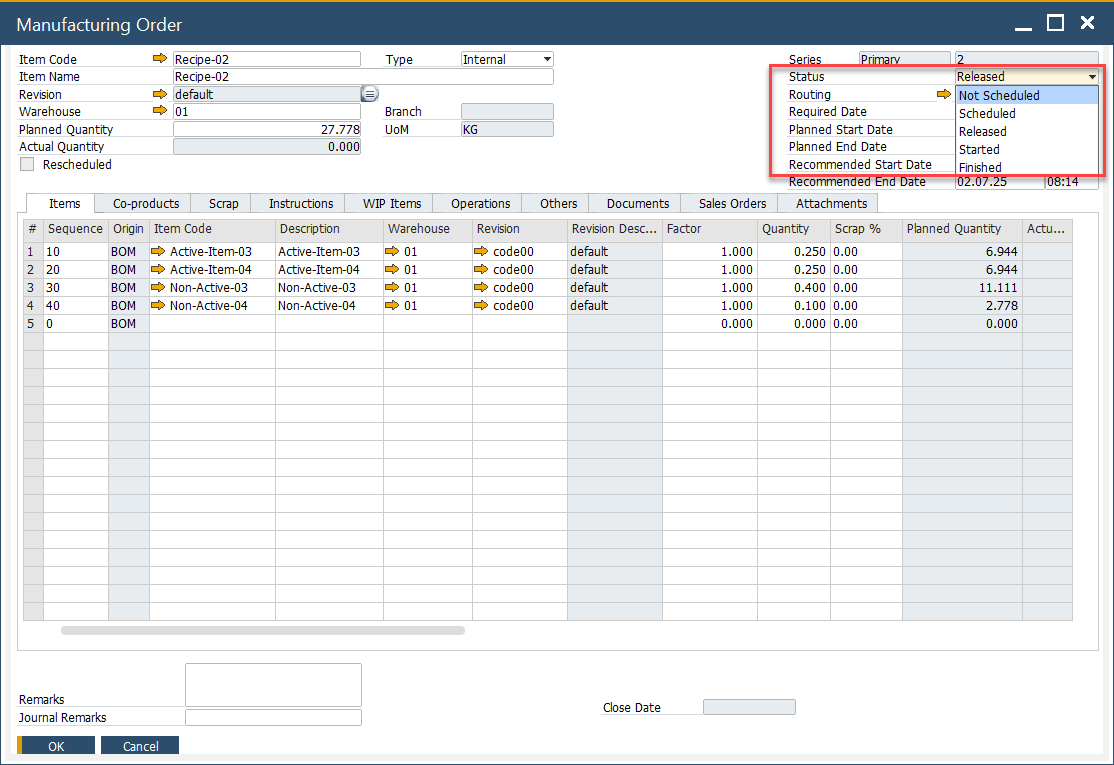
Available statuses
- Not Scheduled: The manufacturing Order has no defined due date.
- Scheduled: A due date is set, but materials cannot yet be issued or received for production.
- Released: The Manufacturing Order is prepared with defined dates. At this stage, it becomes possible to issue materials to production and record receipts.
- Started: The status changes automatically when an issue to production is made or an operation is started. It can also be set manually. Manufacturing Orders in this status should not be re-scheduled.
- Finished: The Manufacturing Order is blocked from further processing, though the status may still be changed if required.
- Closed: The Manufacturing Order is fully locked from editing. Optionally, closing can trigger journal entries based on MO variance (if the Post variance on Manufacturing Order closure option is enabled in General Settings).
Refer to Status Change Rules to see which transitions are possible.
You can also use the Mass Manufacturing Order Status Change Tool to update multiple orders simultaneously.
Status Updates through CompuTec PDC
When an operation is started in CompuTec PDC, the Manufacturing Order status automatically updates to Started in both the Resource Planning Board and Scheduling, if it was previously set to Released.