You are currently viewing documentation for CompuTec ProcessForce 3.0, which is a plugin installed and managed through CompuTec AppEngine 3.0, built on .NET 8. If you are working with older environments, you may need the documentation for CompuTec ProcessForce 2.0: https://learn.computec.one/docs/processforce/2.0/.
Please note that CompuTec ProcessForce 2.0 will be supported only until December 31, 2026. After this date, the product will no longer receive regular support or maintenance updates. Read more
CompuTec AppEngine 3.0 introduces a new architecture, and all CompuTec components, including the CompuTec ProcessForce 3.0 plugin, must be updated together to ensure full compatibility.
Before starting your installation or upgrade process, we strongly recommend reviewing the CompuTec AppEngine 3.0 and CompuTec ProcessForce 3.0 documentation.
Revision Based Picking and Backflushing
Managing inventory efficiently is critical in manufacturing, and Revision-Based Picking and Backflushing helps streamline material tracking and usage. This functionality ensures that the correct batch of materials is selected based on the Revision Code, improving accuracy in production and inventory transactions. This guide outlines how revision-based picking works and its integration into various processes.
General Settings
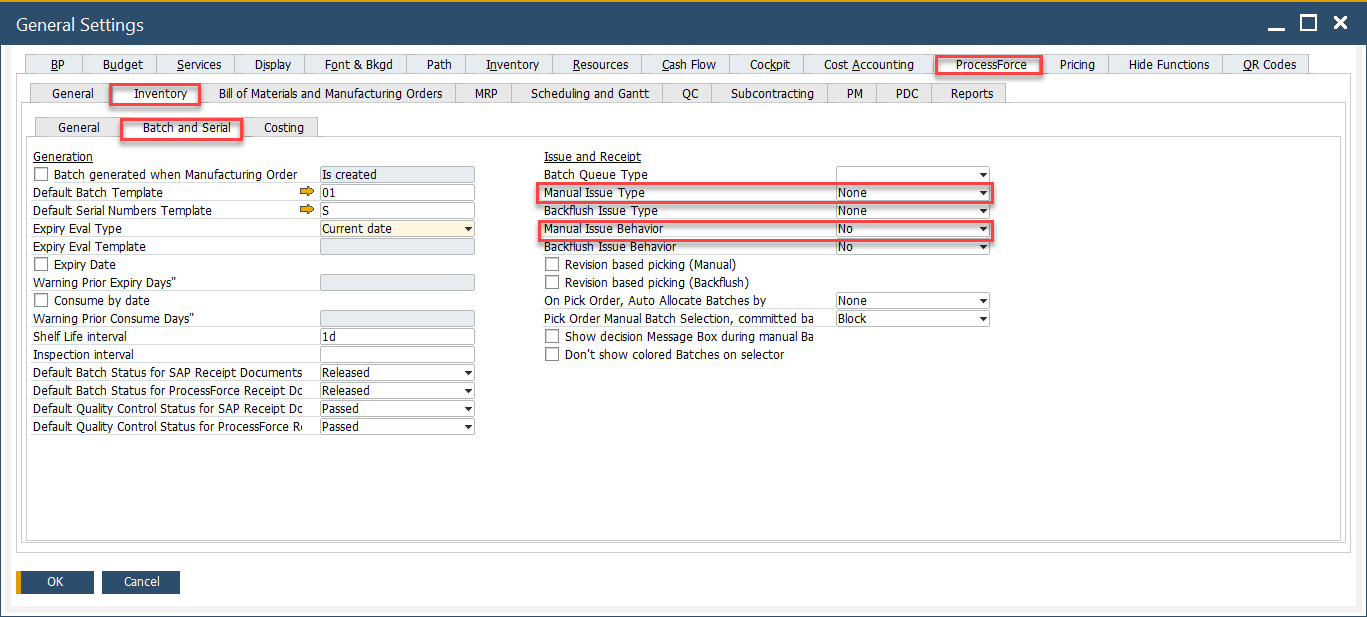
To enable this functionality, navigate to:
Administration → System Initialization → General Settings → ProcessForce tab → Inventory tab → Batch and Serial
Item Details
Each item and batch record includes a Revision Code, ensuring traceability:

Batch Master Data
The Revision Code is recorded in the batch master data, allowing precise selection during transactions:

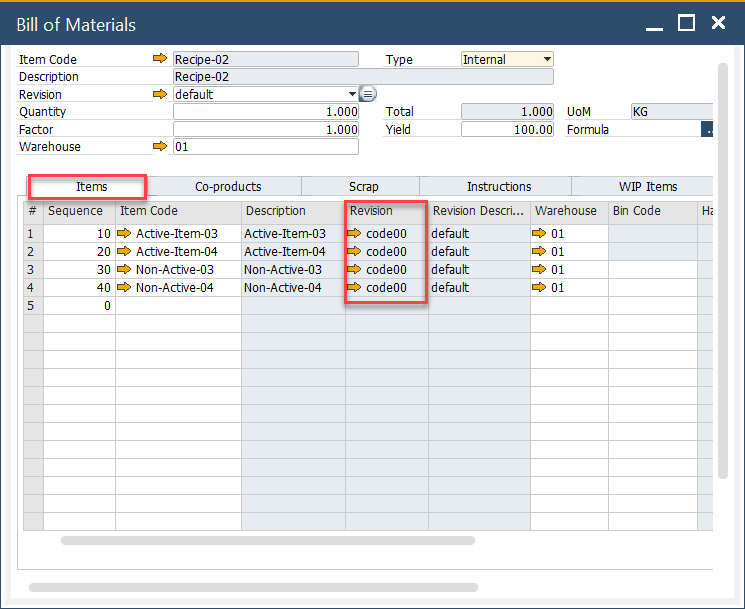
Bill of Material
The Revision Code is displayed in the Bill of Materials form, ensuring consistency in production planning:
Pick Issue
When the Revision-Based Picking (Manual) checkbox is selected while creating certain inventory documents, the system filters batch selection based on the Revision Code. This applies to the following document types:
- Inventory Transfer,
- Delivery,
- Return,
- Return PO,
- Pick Order,
Batches will be filtered based on Revision Code from the base document. The filtering rules are as follows:
- If the Revision Code is empty or set to default, the system displays batches with an empty or default revision code.
- If the Revision Code is unique (not default), the system displays only batches with that specific Revision Code.