You are currently viewing documentation for CompuTec ProcessForce 2.0, which will be supported only until December 31, 2026. After this date, the product will no longer receive regular support or maintenance updates.
We recommend upgrading to CompuTec ProcessForce 3.0, which is a plugin installed and managed through CompuTec AppEngine 3.0, built on .NET 8.
However, please note that CompuTec AppEngine 3.0 has a different architecture, and all CompuTec components, including the CompuTec ProcessForce 3.0 plugin, need to be updated together to ensure full compatibility.
Before starting your installation or upgrade process, we strongly recommend reviewing the CompuTec AppEngine 3.0 and CompuTec ProcessForce 3.0 documentation.
General Ledger Settings
In managing subcontractor processes, it is essential to ensure accurate accounting and financial visibility. This section outlines how the general ledger settings are configured to account for inventory consumed at a subcontractor and how financial postings are managed for both inventory and production activities. By setting up the right accounts, businesses can track production values and maintain clear records of subcontractor transactions.
Overview
- Inventory consumed at a subcontractor is accounted for in the same way as production within a manufacturer.
- Financial postings are made to an External WIP account when inventory is issued and received, ensuring that the production value at the subcontractor is accurately tracked.
Account Settings
-
Following SAP Business One rules, accounts can be set at various levels including Warehouse, Item Group, and Item, or through Advanced G/L Account Determination.
-
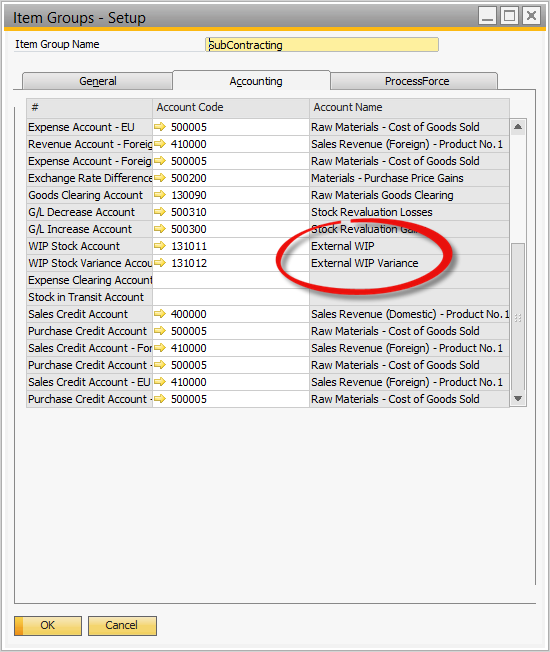
For WIP Inventory and Inventory Variance Accounts, account codes for External WIP and WIP Variance need to be defined at the appropriate level (based on the implementation decision).
-
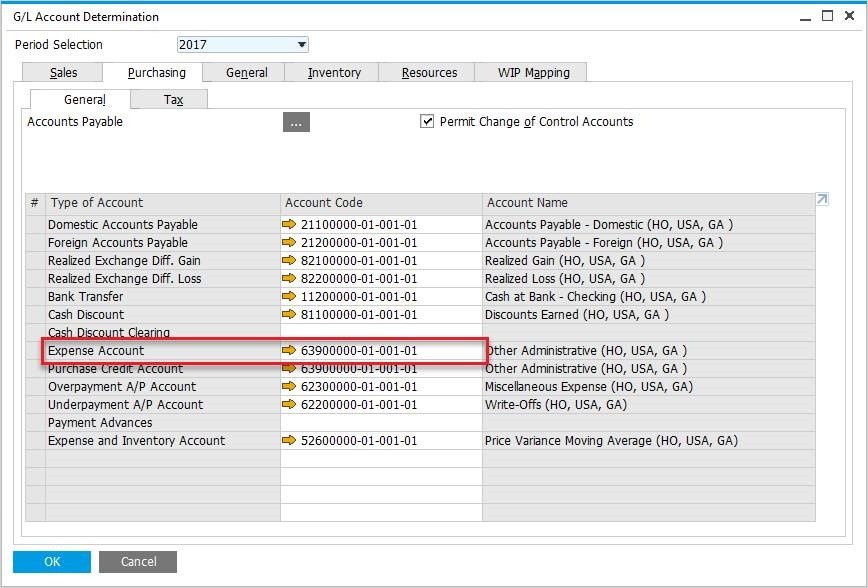
Expense Account has to be set up for Service Items.