You are currently viewing documentation for CompuTec ProcessForce 2.0, which will be supported only until December 31, 2026. After this date, the product will no longer receive regular support or maintenance updates.
We recommend upgrading to CompuTec ProcessForce 3.0, which is a plugin installed and managed through CompuTec AppEngine 3.0, built on .NET 8.
However, please note that CompuTec AppEngine 3.0 has a different architecture, and all CompuTec components, including the CompuTec ProcessForce 3.0 plugin, need to be updated together to ensure full compatibility.
Before starting your installation or upgrade process, we strongly recommend reviewing the CompuTec AppEngine 3.0 and CompuTec ProcessForce 3.0 documentation.
Test Properties
Test Properties are fundamental to the Quality Control Test process, allowing businesses to define and categorize key attributes that are tested. These properties help in determining and recording testing results, facilitating analysis and reporting. Through this functionality, users can set up properties based on numeric values or reference values, ensuring accuracy and consistency in the quality control process.
Administration → Setup → Quality Control → Test Properties
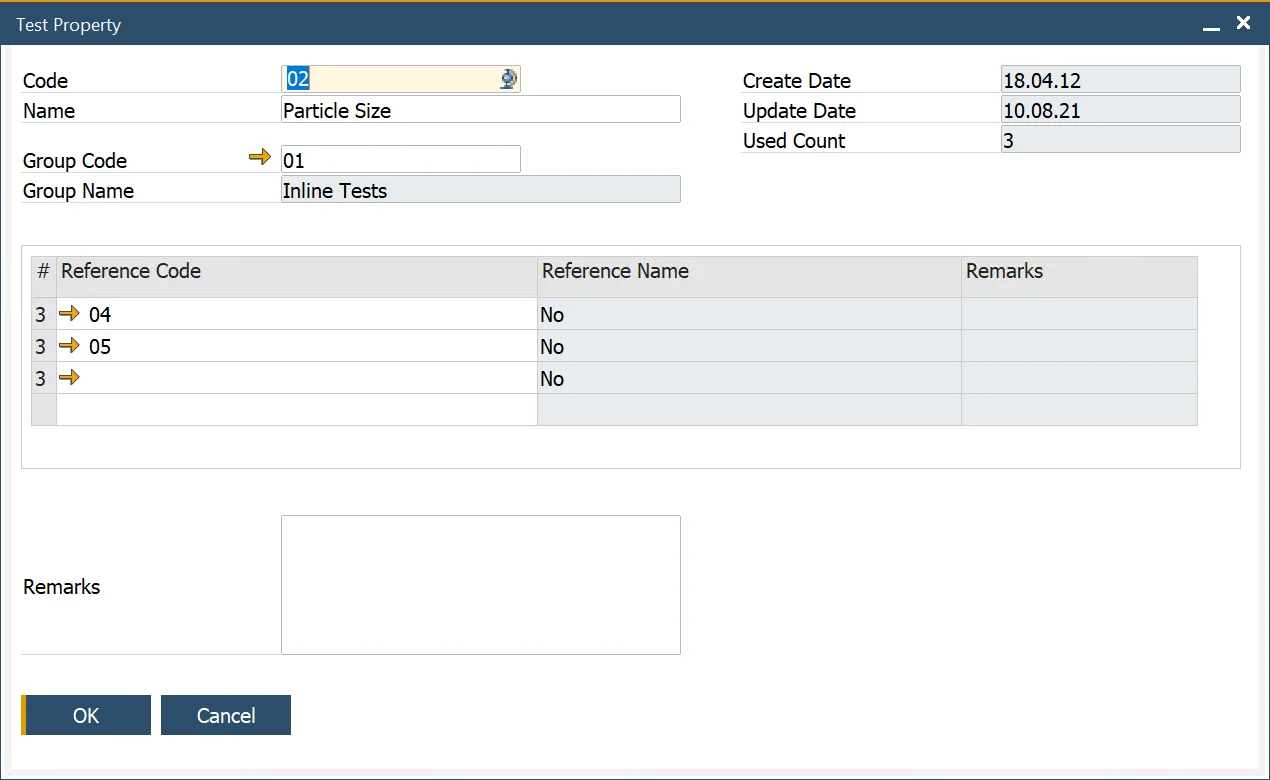
This form allows the user to define Test Properties and is used within the Test Protocol Template, Test Protocol and Quality Control Test forms to determine and record testing results.
The Used Count field indicates how often the Test Property has been used and is used for reporting and analysis purposes.
Reference
Setup → Item Details → Property Reference Library
A Test Property in a Quality Control Test can have either numeric or reference values:
- Numeric Values: These are directly defined within the Quality Control Test and are used to record measurable results, such as particle size or the number of items in a sample.
- Reference Values: These do not include numeric values but instead represent predefined outcomes, such as color options (e.g., Yellow, Red, or Green). The possible reference results for a specific Test Property can be selected from a table within the Test Property form.
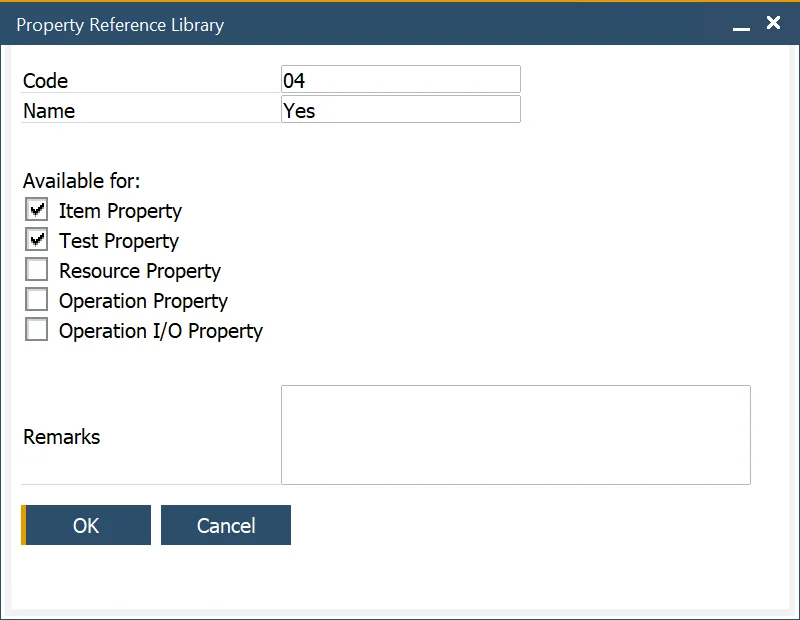
Property can be defined in Property Reference Library. By checking a specific checkbox, you can choose for which Property type this reference is available.
Test Property Group
Administration → Setup → Quality Control → Test Property Groups
This form allows the user to define Test Property Groups that are used to group Test Properties into categories for analysis and reporting purposes.
