You are currently viewing documentation for CompuTec ProcessForce 2.0, which will be supported only until December 31, 2026. After this date, the product will no longer receive regular support or maintenance updates.
We recommend upgrading to CompuTec ProcessForce 3.0, which is a plugin installed and managed through CompuTec AppEngine 3.0, built on .NET 8.
However, please note that CompuTec AppEngine 3.0 has a different architecture, and all CompuTec components, including the CompuTec ProcessForce 3.0 plugin, need to be updated together to ensure full compatibility.
Before starting your installation or upgrade process, we strongly recommend reviewing the CompuTec AppEngine 3.0 and CompuTec ProcessForce 3.0 documentation.
Close Manufacturing Orders
The process of closing manufacturing orders is an essential step in managing production workflows within SAP Business One. It enables users to efficiently finalize and close multiple manufacturing orders in one go, streamlining the end-of-process tasks and ensuring accurate financial reporting. This function provides a convenient interface for managing and tracking the completion of manufacturing processes.
To close Manufacturing Orders, navigate to:
Production → Manufacturing Order → Close Manufacturing Order
From here, users can apply multiple selection criteria to filter and select the required manufacturing orders.
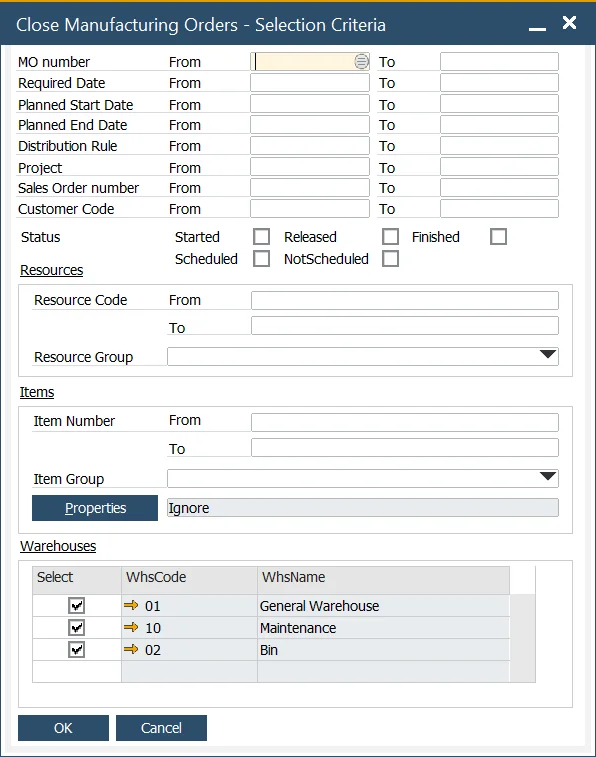
Once selected, you can check the Close column for each individual manufacturing order, or quickly select all orders by clicking the header of the Close column.
For organizations using a Standard Costing System or Moving Average (instead of dynamic costing), the system calculates and posts any Work in Progress (WIP) variance if the option is enabled under General Settings → ProcessForce Tab → Costing Tab → Post Variance on Manufacturing Order Closure.
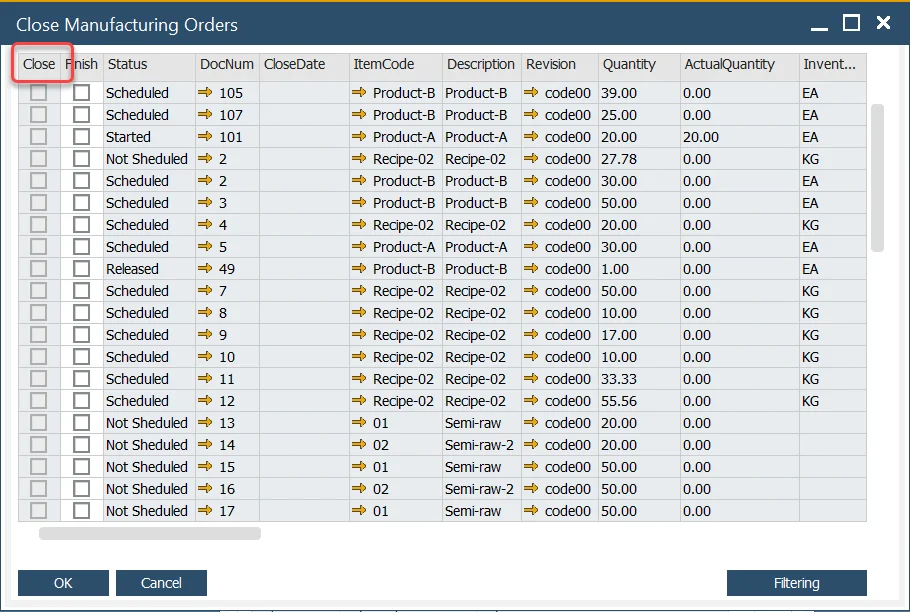
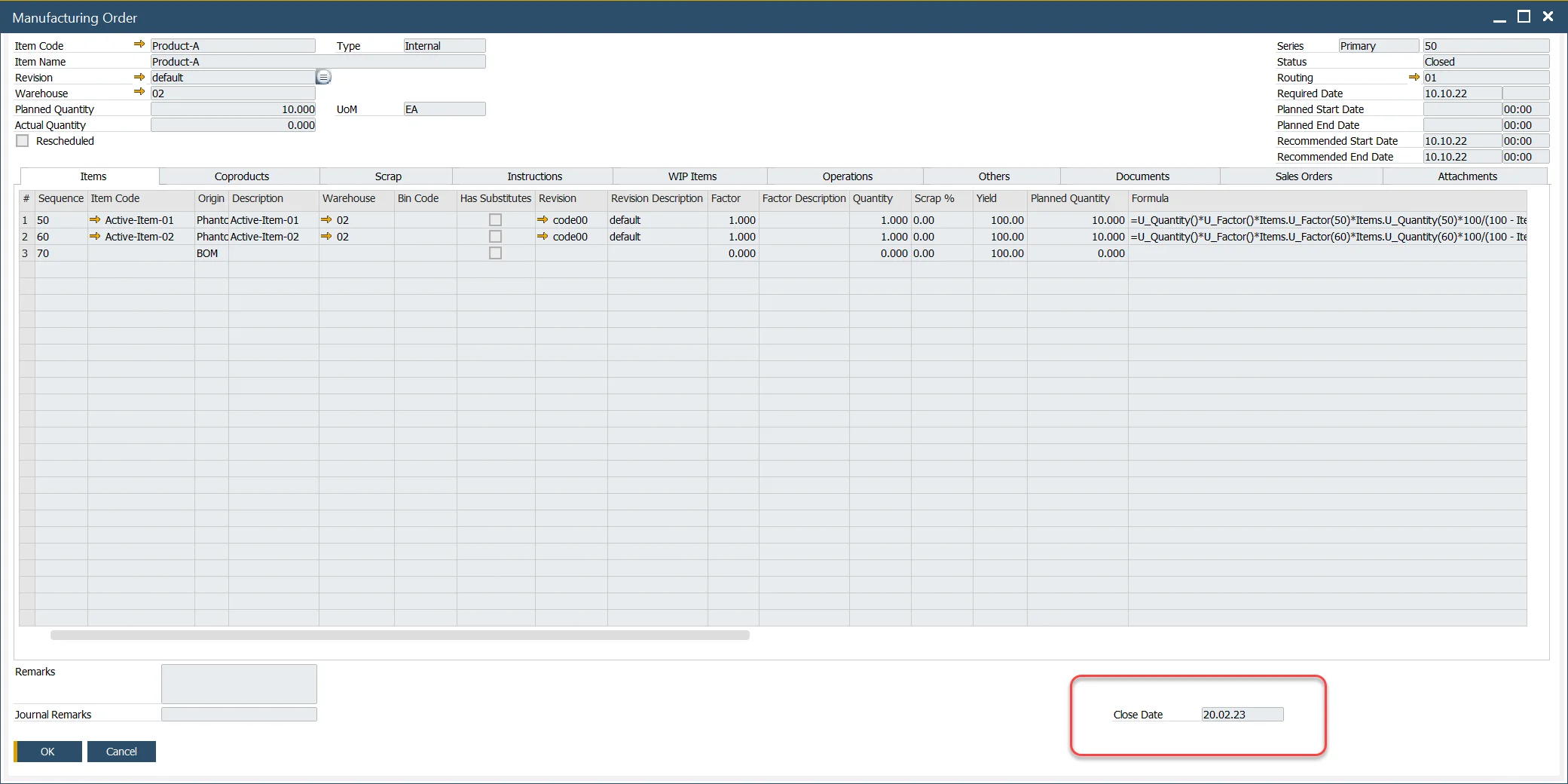
Once a manufacturing order is marked as closed, the Close Date field is automatically populated with the current date. This helps track the exact closure time for each manufacturing order, ensuring accurate records for auditing and reporting purposes. Close Date is displayed on Manufacturing Order:
Filtering option
The function also includes filtering options to help users narrow down the manufacturing orders that need to be closed. These filtering options align with the standard SAP Business One filtering criteria, enabling users to easily identify and manage relevant orders.