You are currently viewing documentation for CompuTec ProcessForce 2.0, which will be supported only until December 31, 2026. After this date, the product will no longer receive regular support or maintenance updates.
We recommend upgrading to CompuTec ProcessForce 3.0, which is a plugin installed and managed through CompuTec AppEngine 3.0, built on .NET 8.
However, please note that CompuTec AppEngine 3.0 has a different architecture, and all CompuTec components, including the CompuTec ProcessForce 3.0 plugin, need to be updated together to ensure full compatibility.
Before starting your installation or upgrade process, we strongly recommend reviewing the CompuTec AppEngine 3.0 and CompuTec ProcessForce 3.0 documentation.
Batch Status
Batch status indicators help users quickly identify the condition of batches within the Pick Order process. By using color-coded records, SAP Business One provides clear visual cues on batch availability, expiry, and accessibility, ensuring efficient inventory management and reducing errors in batch selection.
Batch Record Colors
In the Pick Order screen, batch records are displayed in different colors based on their status:
- Red: the expiry date has passed.
- Blue: the warning Expiry Date has passed.
- Black: neither the expiry date nor the warning date has been reached.
- Grey: the batch is locked or non-accessible, set to DISPLAY based on configuration settings; these records are visible but cannot be picked.
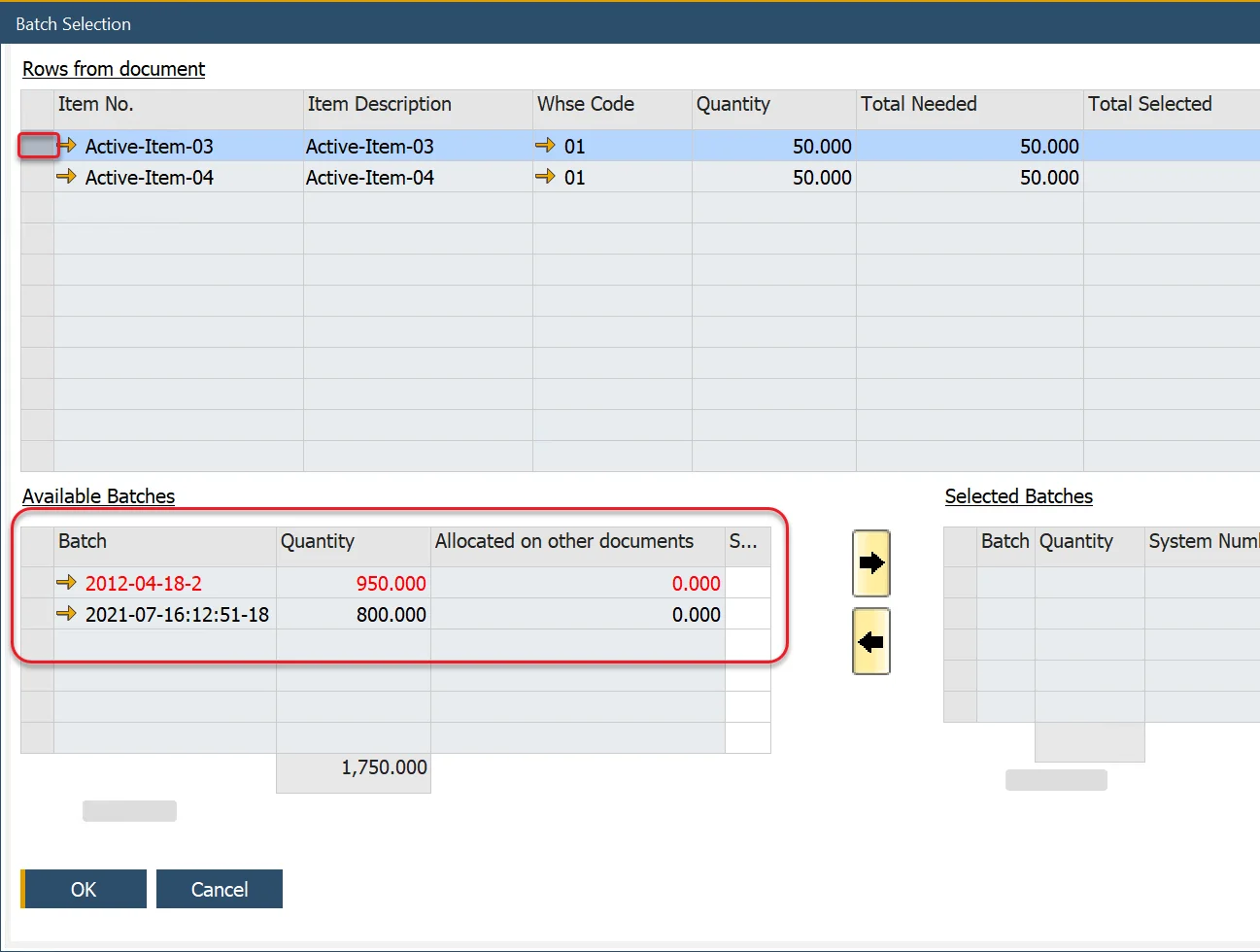
SAP Business One Documents
The Batch color rules (apart from Grey) have been implemented within Delivery, Goods Return, Inventory Transfer, and Goods Issue documents.