You are currently viewing documentation for CompuTec ProcessForce 3.0, which is a plugin installed and managed through CompuTec AppEngine 3.0, built on .NET 8. If you are working with older environments, you may need the documentation for CompuTec ProcessForce 2.0: https://learn.computec.one/docs/processforce/2.0/.
Please note that CompuTec ProcessForce 2.0 will be supported only until December 31, 2026. After this date, the product will no longer receive regular support or maintenance updates. Read more
CompuTec AppEngine 3.0 introduces a new architecture, and all CompuTec components, including the CompuTec ProcessForce 3.0 plugin, must be updated together to ensure full compatibility.
Before starting your installation or upgrade process, we strongly recommend reviewing the CompuTec AppEngine 3.0 and CompuTec ProcessForce 3.0 documentation.
Revision and Routing Costing Defaults
Defining costing defaults for specific Revisions and Routings ensures accurate and product-specific cost calculations. This guide explains how to define costing defaults at both the revision and routing levels.
Revisions
CompuTec ProcessForce allows you to calculate costs at the revision level of an item.
Within the Item Details form:
-
Select the appropriate Revision to be used for costing.
-
Enable the "Is Costing Default" checkbox to set it as the default revision for cost calculation.
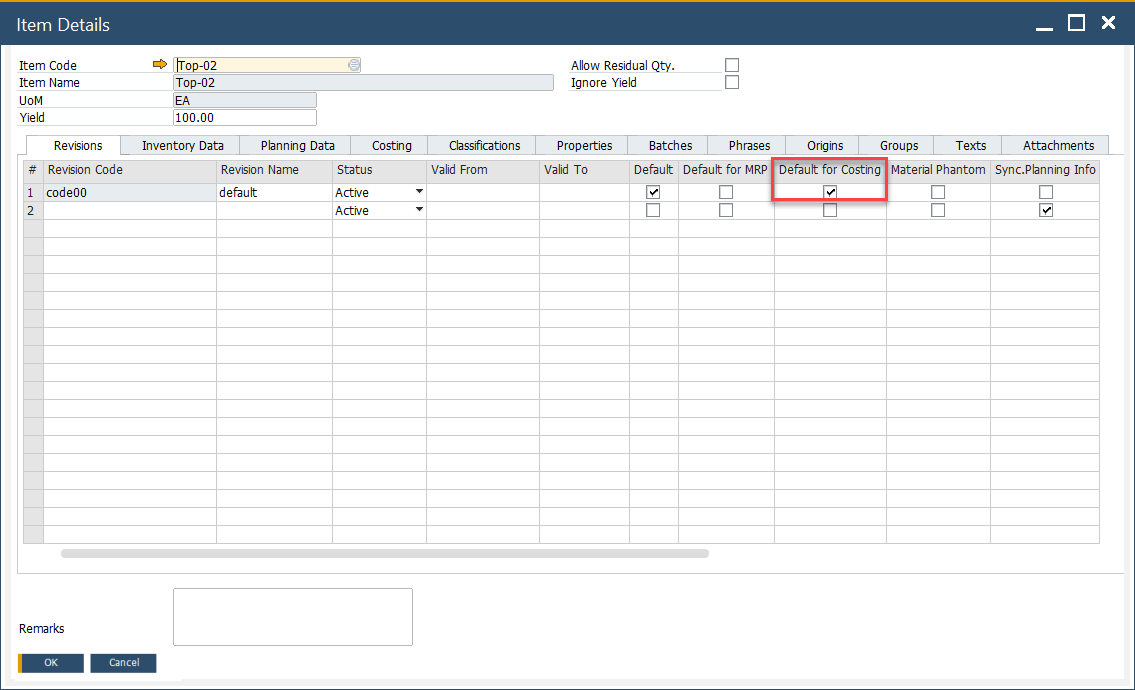
➡️ Learn more about Item Details Item Details.
Production Process
Each product can have multiple production routings. To include resource-related costs in the calculation:
- Open the relevant Routing in the Production Process form.
- Check it as the default for cost calculation.
Note: Even if there's only a single routing defined, this checkbox must still be selected for the cost to be included.
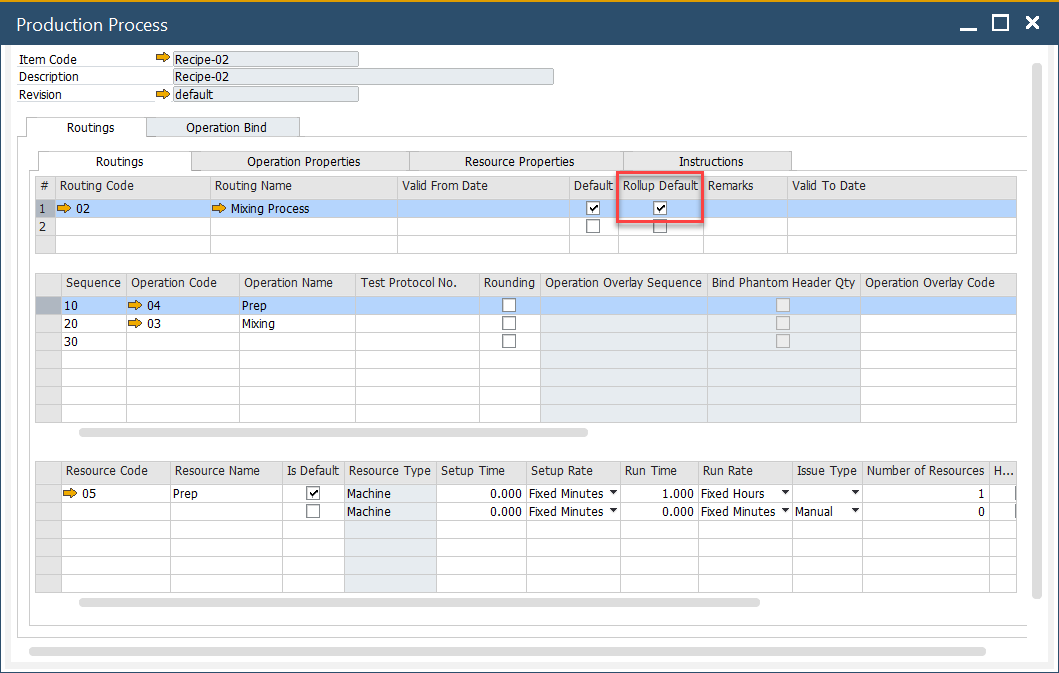
➡️ Learn more about Production Process.