You are currently viewing documentation for CompuTec ProcessForce 2.0, which will be supported only until December 31, 2026. After this date, the product will no longer receive regular support or maintenance updates.
We recommend upgrading to CompuTec ProcessForce 3.0, which is a plugin installed and managed through CompuTec AppEngine 3.0, built on .NET 8.
However, please note that CompuTec AppEngine 3.0 has a different architecture, and all CompuTec components, including the CompuTec ProcessForce 3.0 plugin, need to be updated together to ensure full compatibility.
Before starting your installation or upgrade process, we strongly recommend reviewing the CompuTec AppEngine 3.0 and CompuTec ProcessForce 3.0 documentation.
Quality Control Tests from Manufacturing Order
The Quality Control Tests creation process can also be initiated directly from the Manufacturing Order context menu. This method allows users to either create new Quality Control Tests or view those that have already been generated for a Manufacturing Order.
Creating a Quality Control Test from a Manufacturing Order
-
To create a Quality Control Test, right-click on the Manufacturing Order form and select the Create Quality Control Test option:
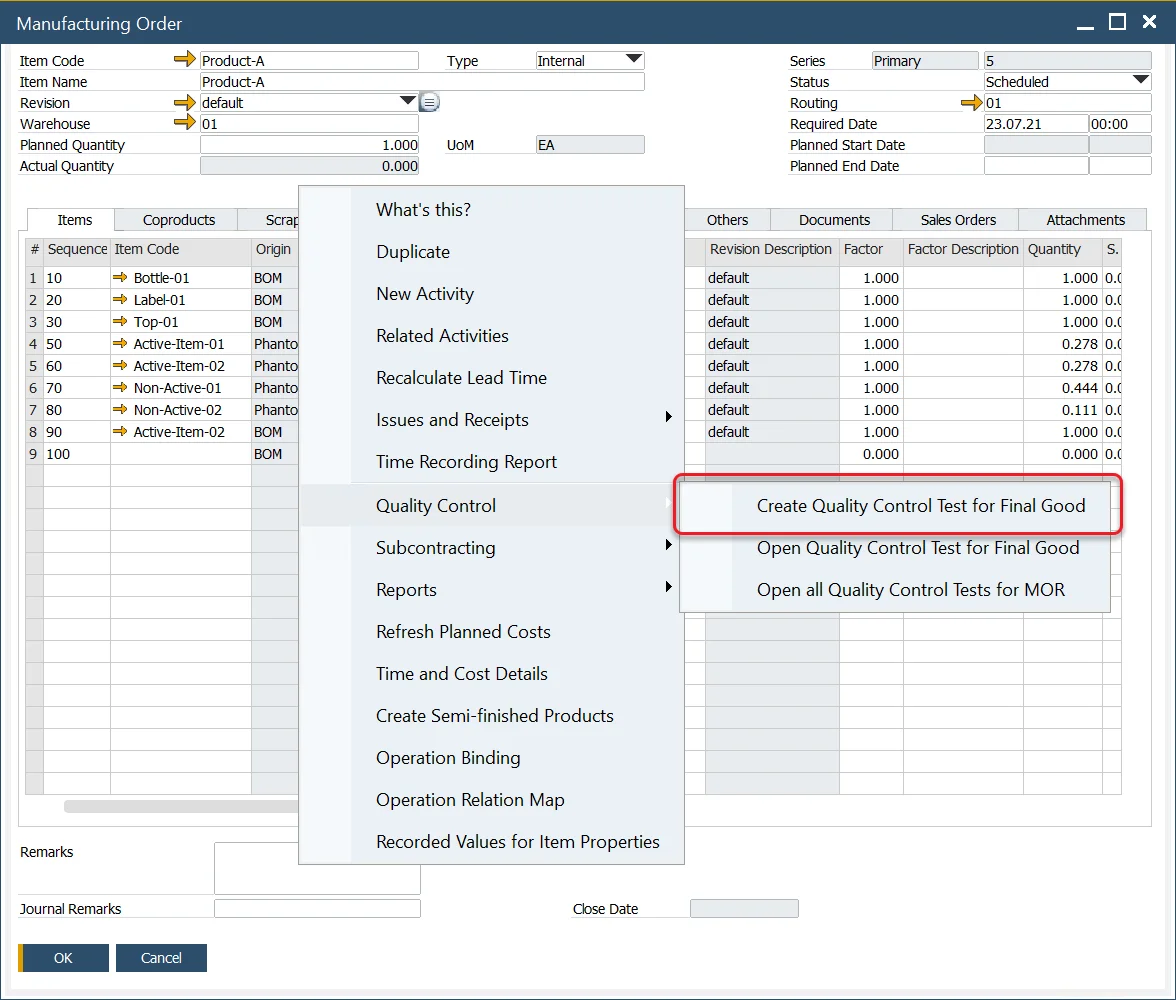
-
A list of available Test Protocols will be shown:

-
Select the appropriate Test Protocol and click Choose.
Note: A Test Protocol must be created with the correct data and the Manufacturing Order checkbox checked to appear in this list. Click here to check how to create a Test Protocol.
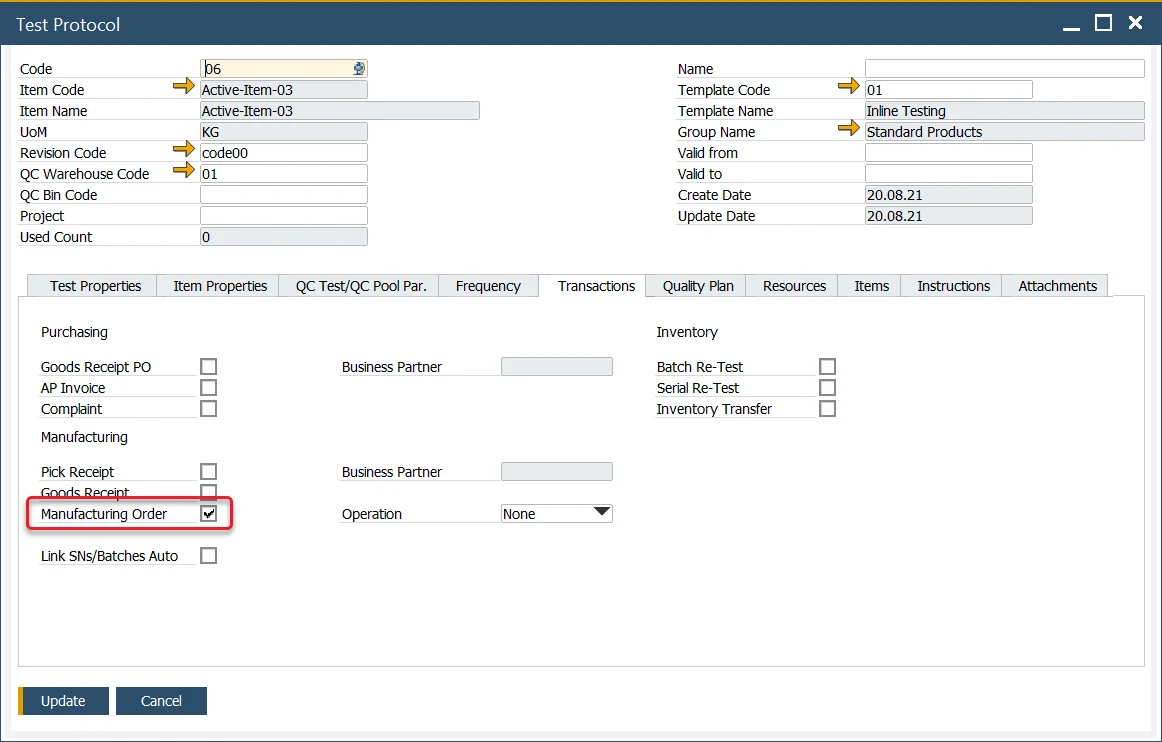
-
A Quality Control Test will be created with corresponding data. Click Add button to post it.
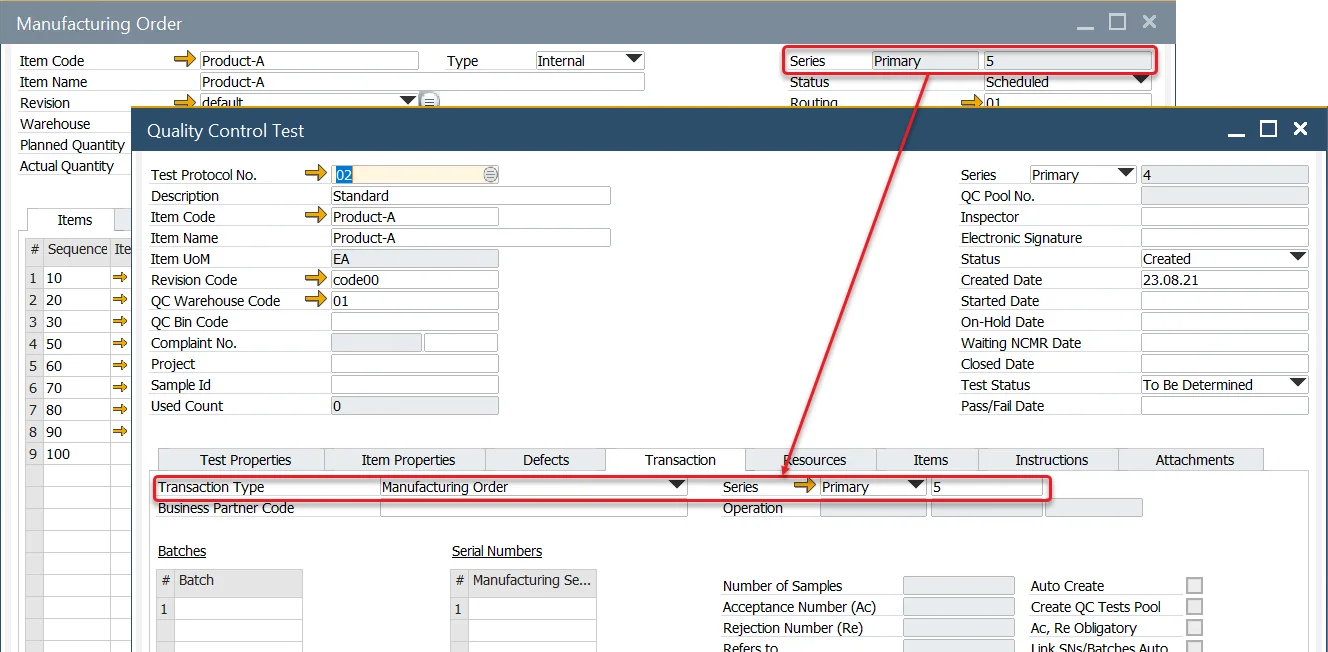
View Existing Quality Control Tests
-
You can also view Quality Control Tests for a specific Final Good or the entire Manufacturing Order.
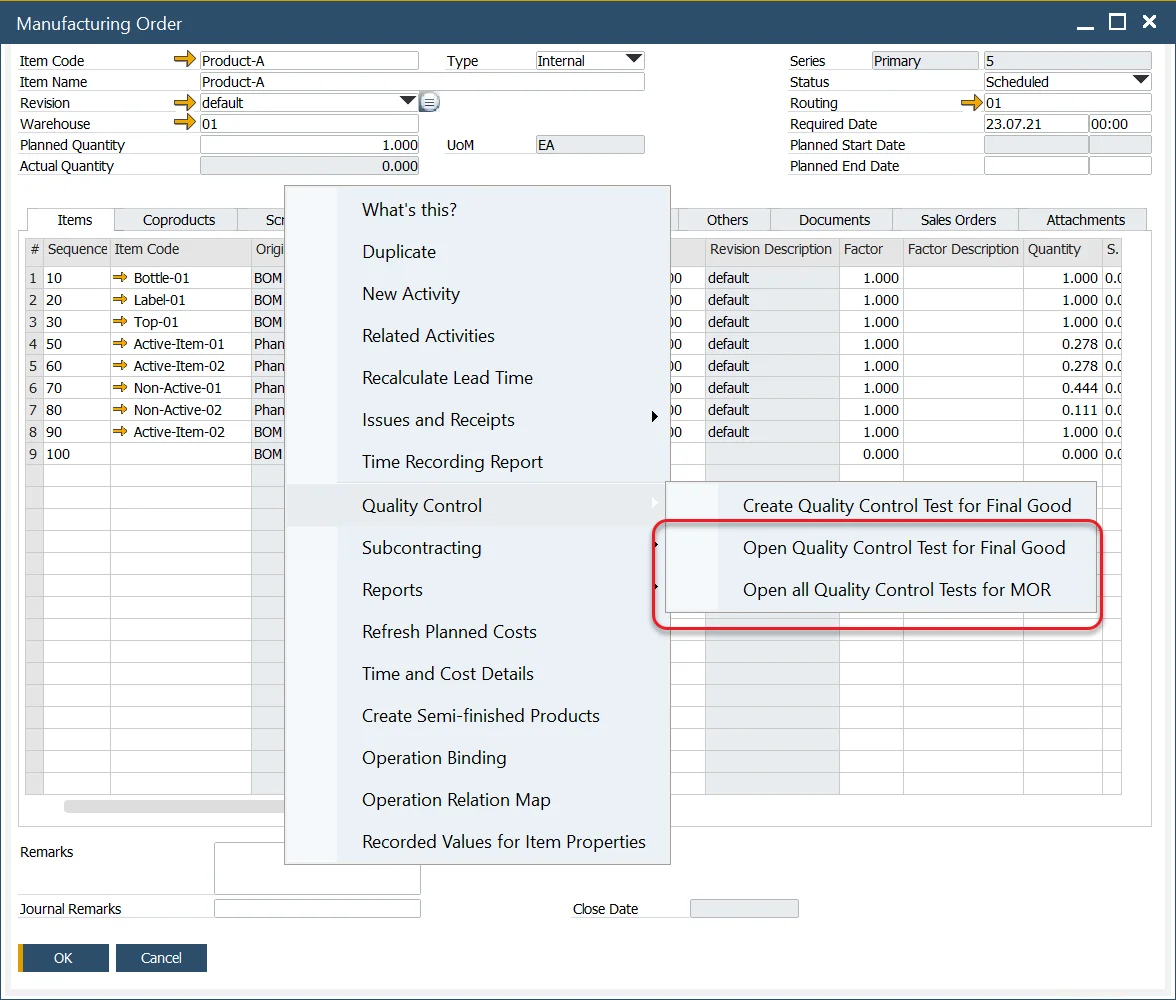
-
A list of all associated Quality Control Tests will be displayed:
