You are currently viewing documentation for CompuTec ProcessForce 2.0, which will be supported only until December 31, 2026. After this date, the product will no longer receive regular support or maintenance updates.
We recommend upgrading to CompuTec ProcessForce 3.0, which is a plugin installed and managed through CompuTec AppEngine 3.0, built on .NET 8.
However, please note that CompuTec AppEngine 3.0 has a different architecture, and all CompuTec components, including the CompuTec ProcessForce 3.0 plugin, need to be updated together to ensure full compatibility.
Before starting your installation or upgrade process, we strongly recommend reviewing the CompuTec AppEngine 3.0 and CompuTec ProcessForce 3.0 documentation.
Manufacturing Order Scheduling
Scheduling production orders efficiently is a critical element in a manufacturing environment, where precise coordination of resources ensures smooth operations. By understanding the concepts of "Planned Quantity" and "Resource Quantity," manufacturers can make informed decisions and maximize productivity.
Planned Quantity
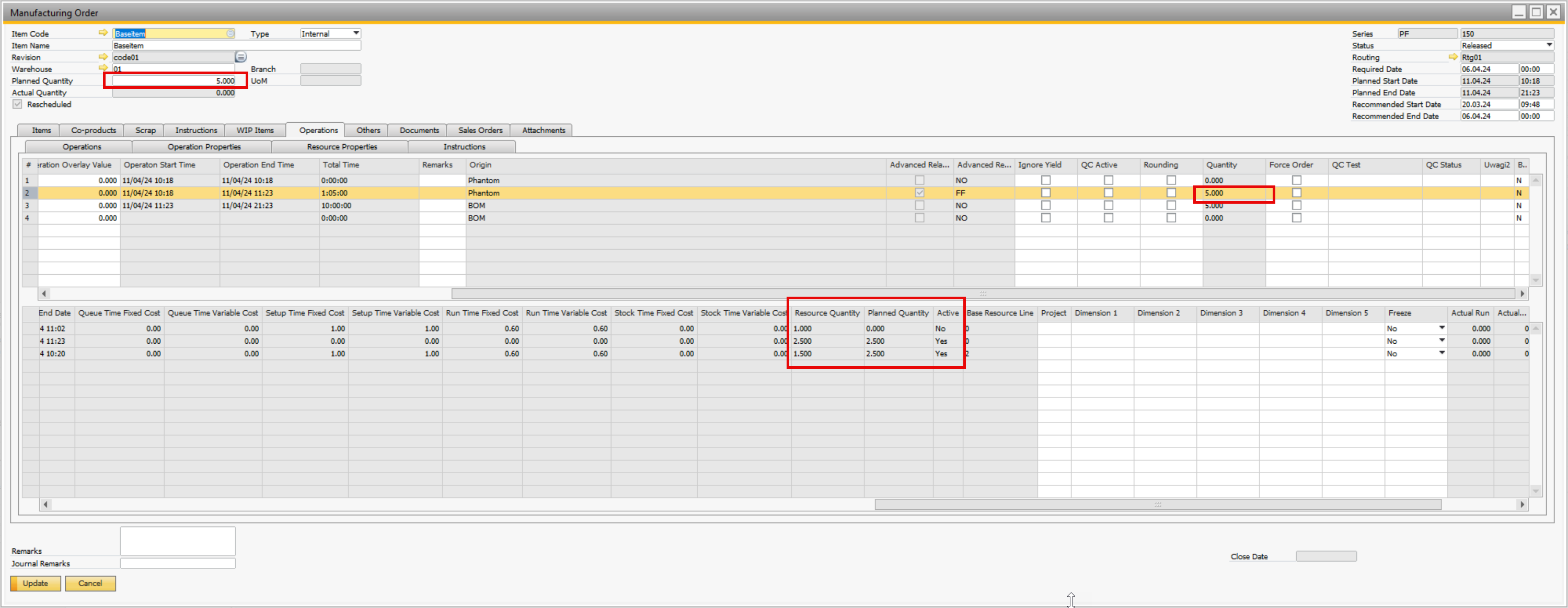
The "Planned Quantity" refers to the predetermined allocation of a specific quantity that is distributed among machine resources during the planning phase. These allocations are essential for optimizing resource usage. In cases where a resource is inactive (such as during the installation of a new production line), the allocation for that resource is set to zero.
Resource Quantity
"Resource Quantity" represents the updated allocation following the most recent replanning session. It includes quantities that have already been recorded and any adjustments made to reflect changes in the production schedule. For inactive resources, the total registered quantities are summed up to determine the overall resource quantity.
Example
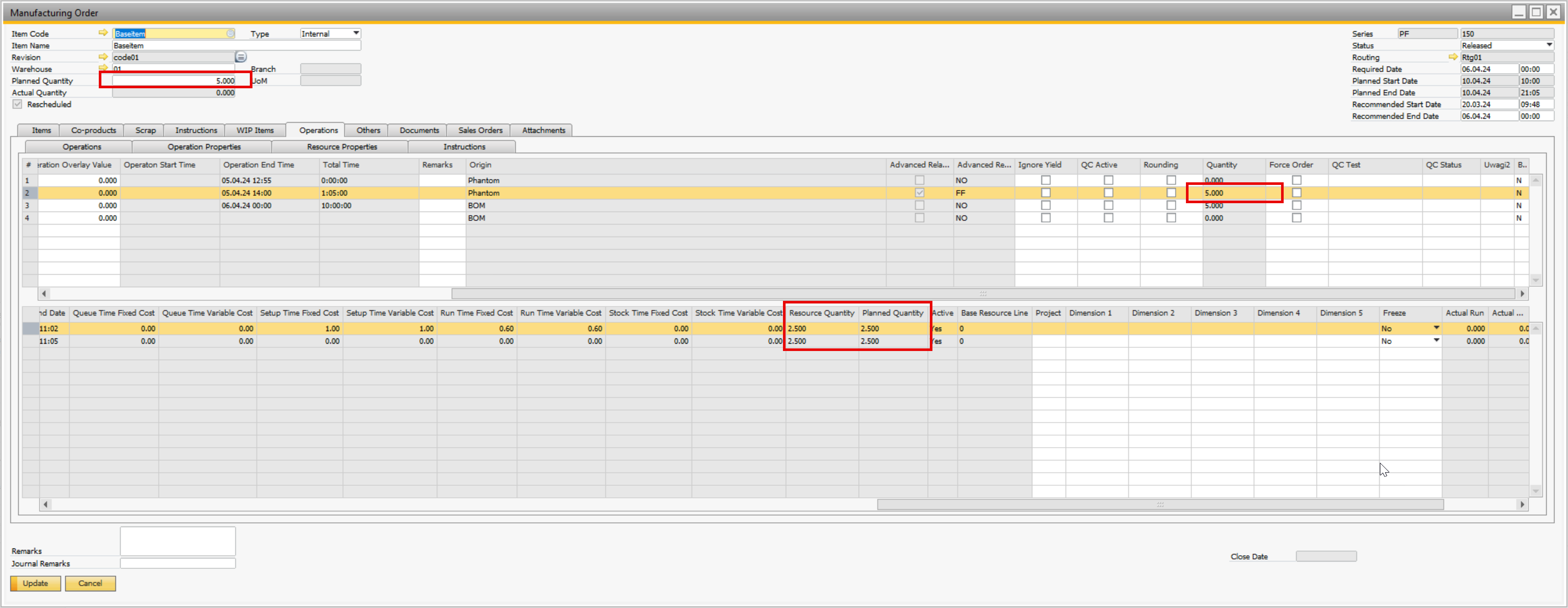
After the first time booking for a resource (booked 1 qty):