You are currently viewing documentation for CompuTec ProcessForce 2.0, which will be supported only until December 31, 2026. After this date, the product will no longer receive regular support or maintenance updates.
We recommend upgrading to CompuTec ProcessForce 3.0, which is a plugin installed and managed through CompuTec AppEngine 3.0, built on .NET 8.
However, please note that CompuTec AppEngine 3.0 has a different architecture, and all CompuTec components, including the CompuTec ProcessForce 3.0 plugin, need to be updated together to ensure full compatibility.
Before starting your installation or upgrade process, we strongly recommend reviewing the CompuTec AppEngine 3.0 and CompuTec ProcessForce 3.0 documentation.
Ingredient and Nutrient Template
The Ingredient and Nutrient Template form is designed to streamline the process of defining multiple ingredients and nutrients within a template. This feature enhances data entry efficiency, enabling users to quickly associate ingredients and nutrients with products.
Inventory → Ingredients → Ingredient/Nutrient Template
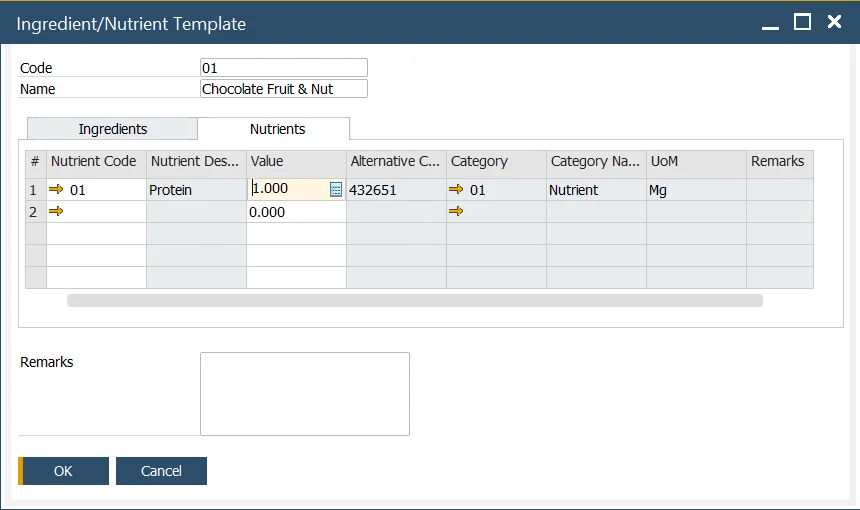
Ingredient/Nutrient Template
This form allows users to define several ingredients/nutrients within a template to help with rapid data entry.
Ingredient/Nutrient Template can be used on the Item Ingredient Master Data form to simplify the management of ingredients and nutrients.
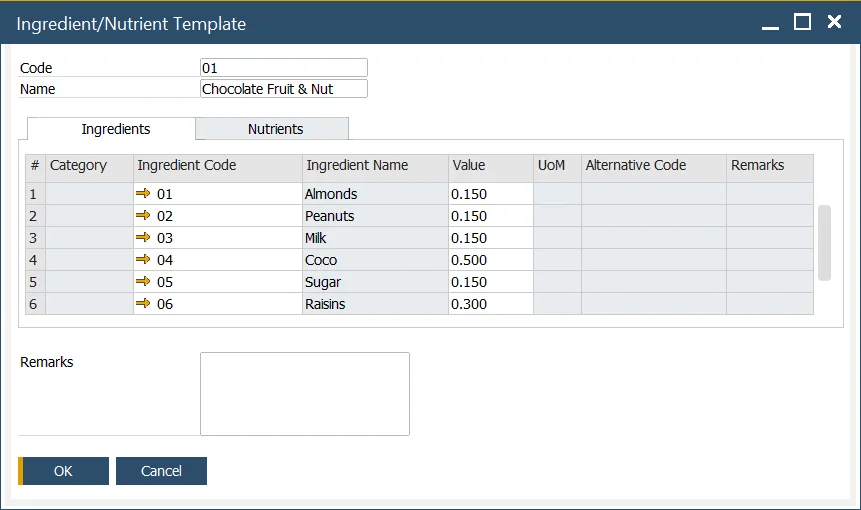
Ingredients Tab
Ingredients can be added by selecting the Ingredient Code. Only the value can be modified in this template. For further changes to ingredient attributes, users can navigate to the Ingredient Master Data form.
Nutrients Tab
Similarly, nutrients can be added by selecting the Nutrient Code, where only the value can be adjusted in this template. To modify other nutrient attributes, users can go to the Nutrient Master Data form.