You are currently viewing documentation for CompuTec ProcessForce 3.0, which is a plugin installed and managed through CompuTec AppEngine 3.0, built on .NET 8. If you are working with older environments, you may need the documentation for CompuTec ProcessForce 2.0: https://learn.computec.one/docs/processforce/2.0/.
Please note that CompuTec ProcessForce 2.0 will be supported only until December 31, 2026. After this date, the product will no longer receive regular support or maintenance updates. Read more
CompuTec AppEngine 3.0 introduces a new architecture, and all CompuTec components, including the CompuTec ProcessForce 3.0 plugin, must be updated together to ensure full compatibility.
Before starting your installation or upgrade process, we strongly recommend reviewing the CompuTec AppEngine 3.0 and CompuTec ProcessForce 3.0 documentation.
Subcontractor Type Resource
Incorporating subcontracting into production processes can optimize operations and leverage external expertise. This is achieved by creating subcontractor-type resources, adding them to an operation, and integrating that operation into the routing. Below is a step-by-step guide to setting up subcontractor-type resources effectively.
Resources
To set up a subcontractor-type resource for a service performed by an external organization:
-
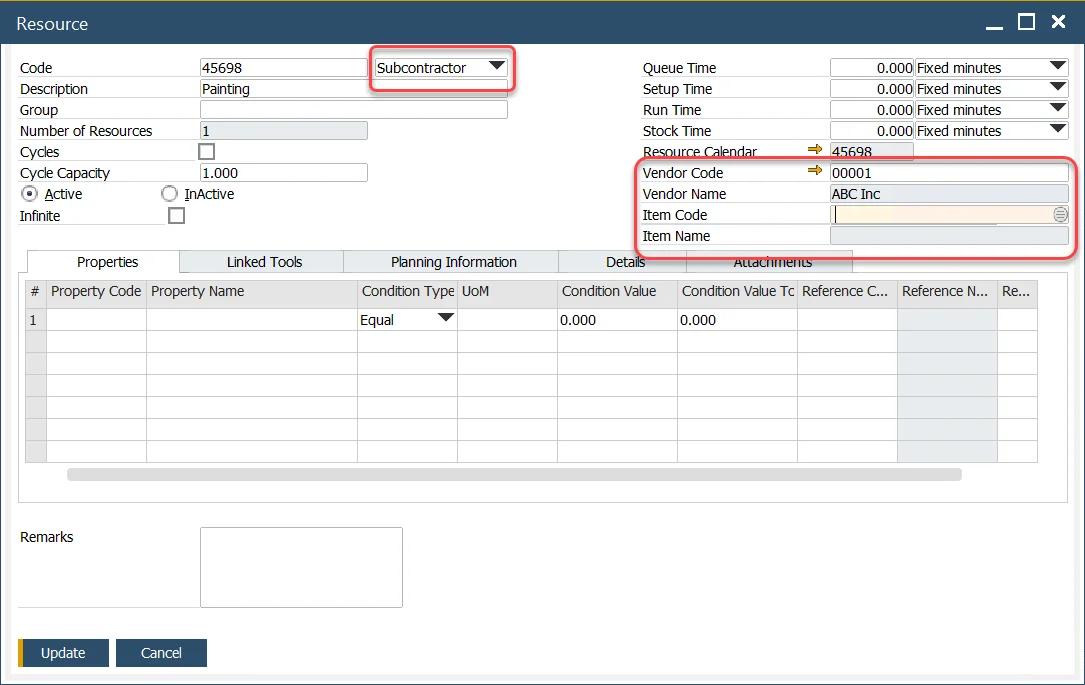
Select the Resource Type
Choose the resource type as "Subcontractor." Once selected, additional fields will appear for further configuration.
-
Specify the Vendor
Identify the supplier performing the service by filling out the Vendor Code and Vendor Name fields.
-
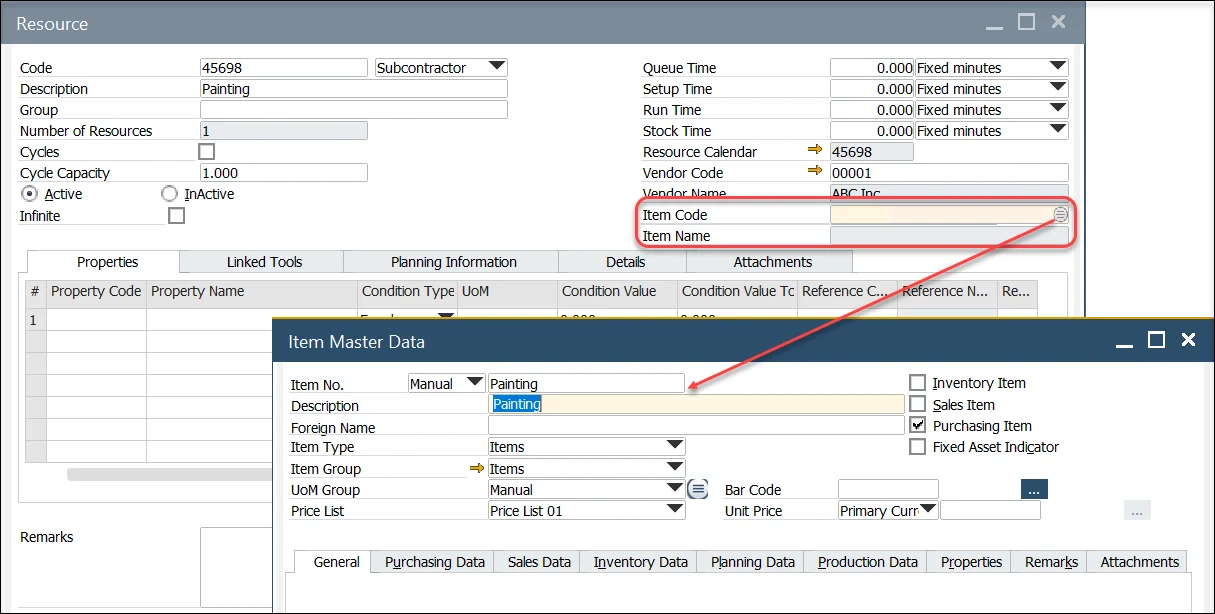
Select the Item
Choose an item that is defined as a non-inventory item and is marked as purchased.
-
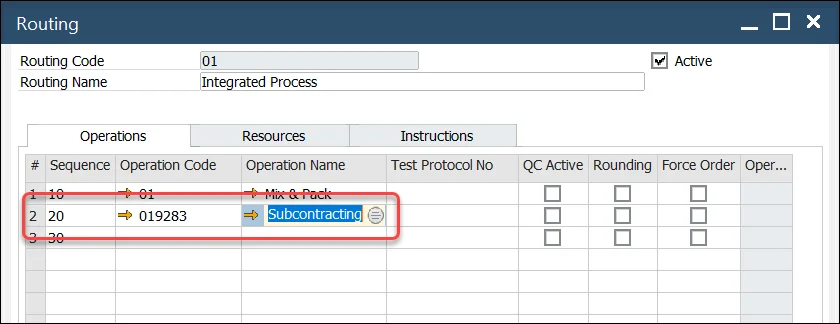
Define the Operation
Establish the operation involving the subcontractor and include it in the routing. This ensures the process is seamlessly integrated into the production flow.