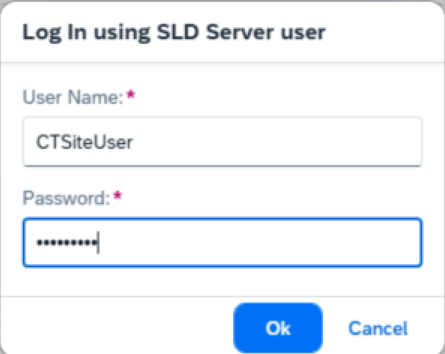
You are currently viewing documentation for CompuTec AppEngine 3.0 (.NET 8).
If you are working with older environments, you may need the documentation for CompuTec AppEngine 2.0 based on .NET Framework: https://learn.computec.one/docs/appengine/2.0/.
Please note that CompuTec AppEngine 2.0 will be supported only until December 31, 2026. After this date, the product will no longer receive regular support or maintenance updates. Read more
As CompuTec AppEngine 3.0 introduces a new architecture, all CompuTec components must be updated together to ensure full compatibility.
Please review the CompuTec AppEngine 3.0 documentation before starting your installation or upgrade process.
Operator Setup and IAM Server Assignment in Cloud Control Center (CCC)
To enable seamless discovery of SAP companies and access essential SAP environment configurations, it is necessary to configure operator credentials within the Cloud Control Center (CCC). These credentials authorize CompuTec AppEngine to retrieve key system information during the company activation and discovery process.
This guide walks you through the steps to create a CCC operator, configure corresponding credentials in the IAM (Key cloak) server, and use the account in CompuTec AppEngine.
Create an Operator
-
Access your Cloud Control Center using your admin credentials.
-
Navigate to System Configuration → Operator and create a new operator.
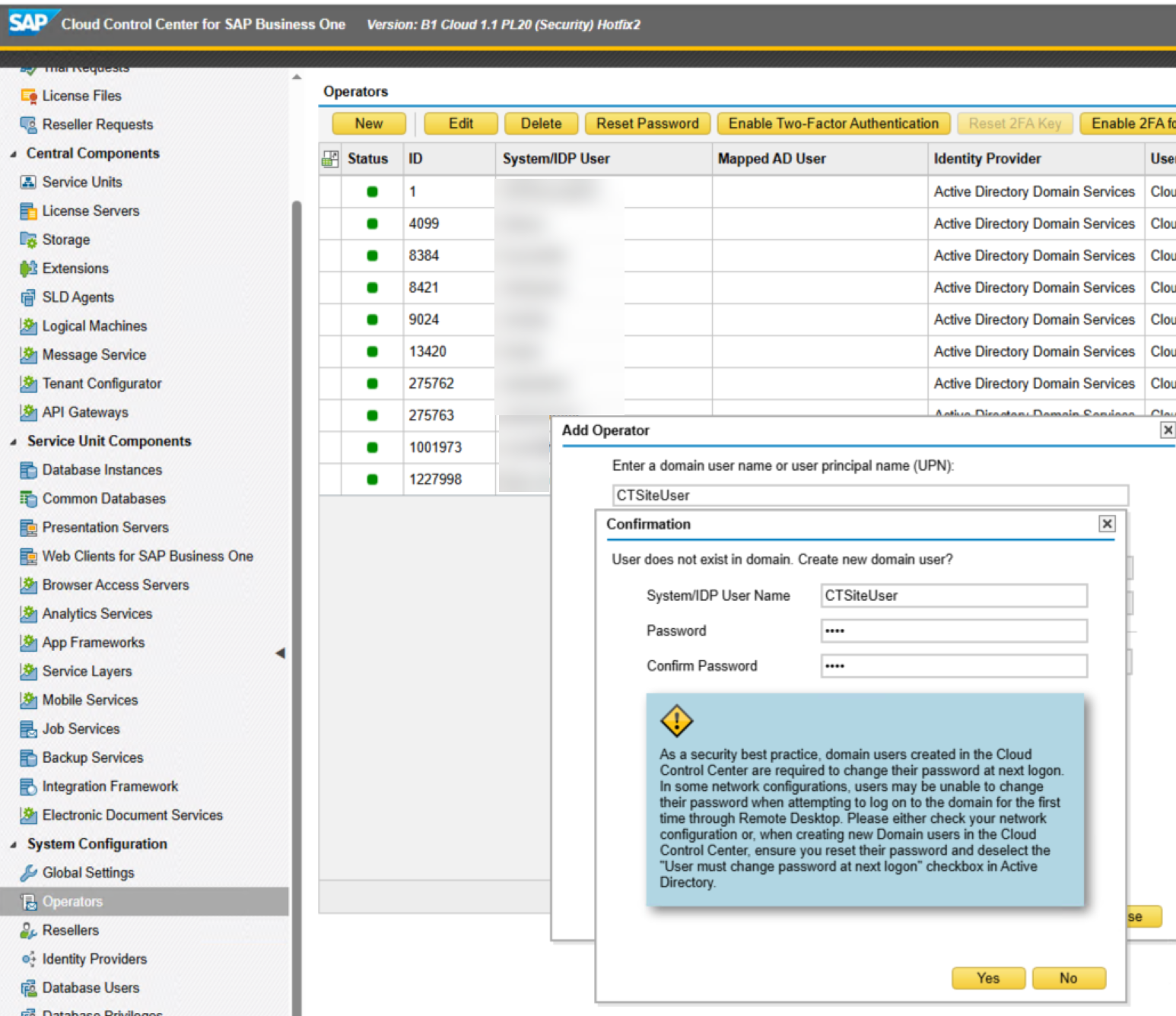
-
After creating the operator, assign them to the relevant CCC instance.
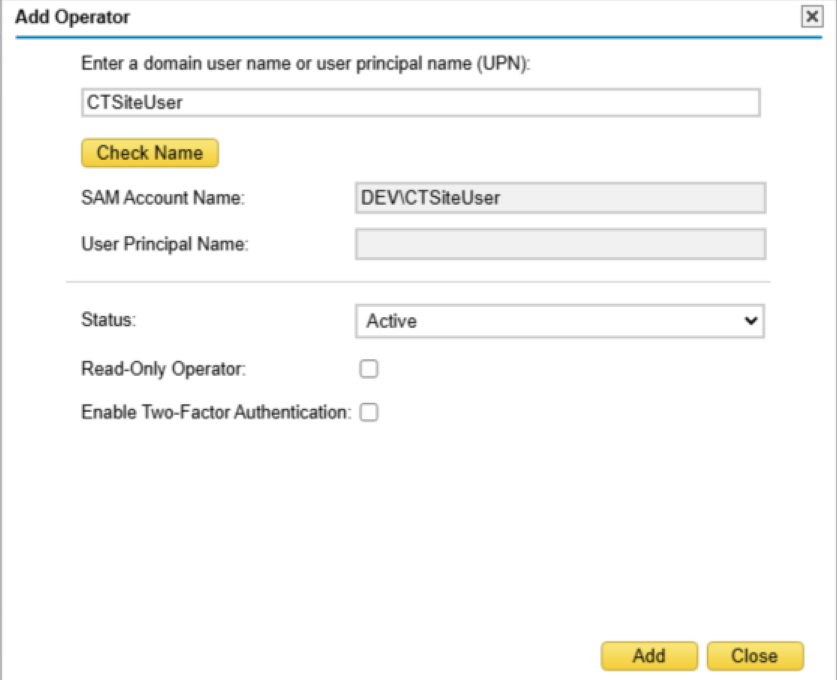
-
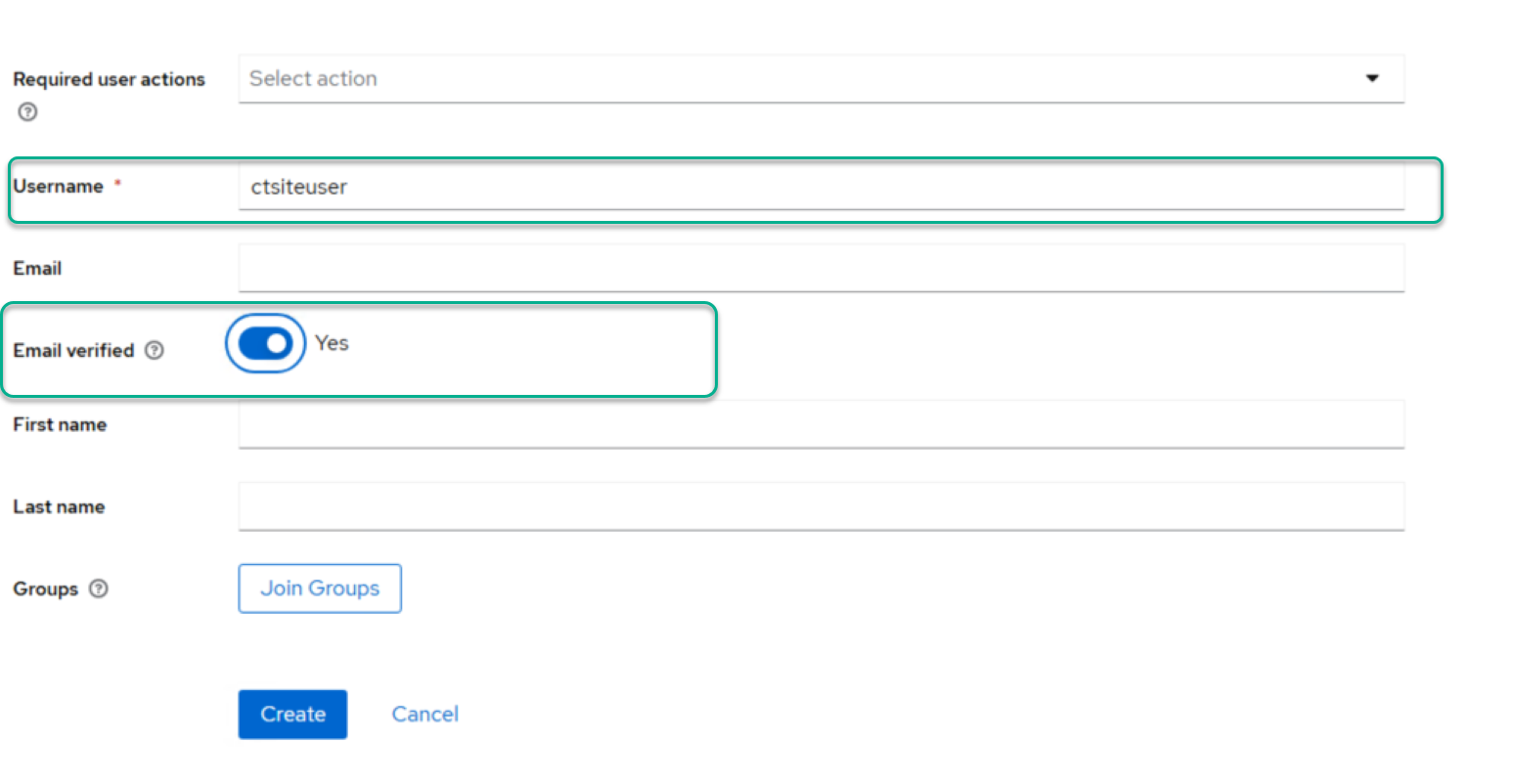
Log in to the Keycloak server. In the SAP Business One realm, create a new user with the same name as the CCC operator (excluding the domain name).
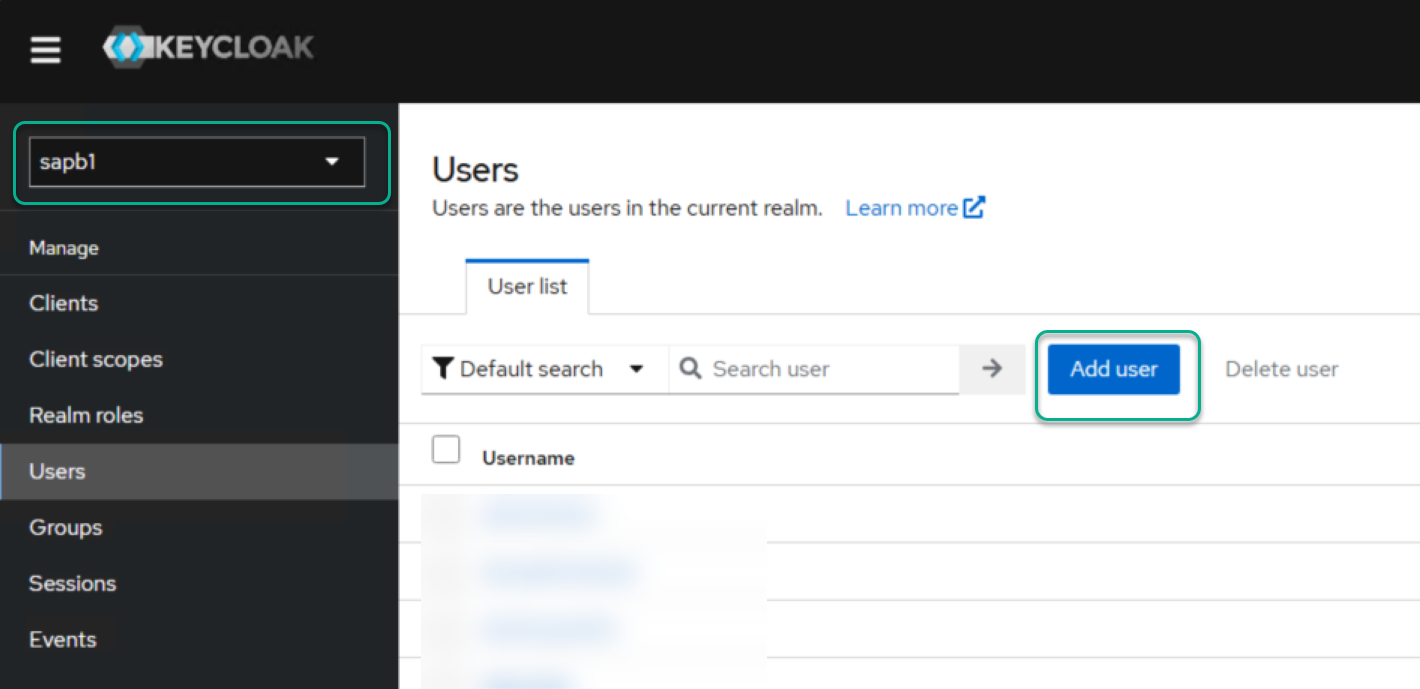
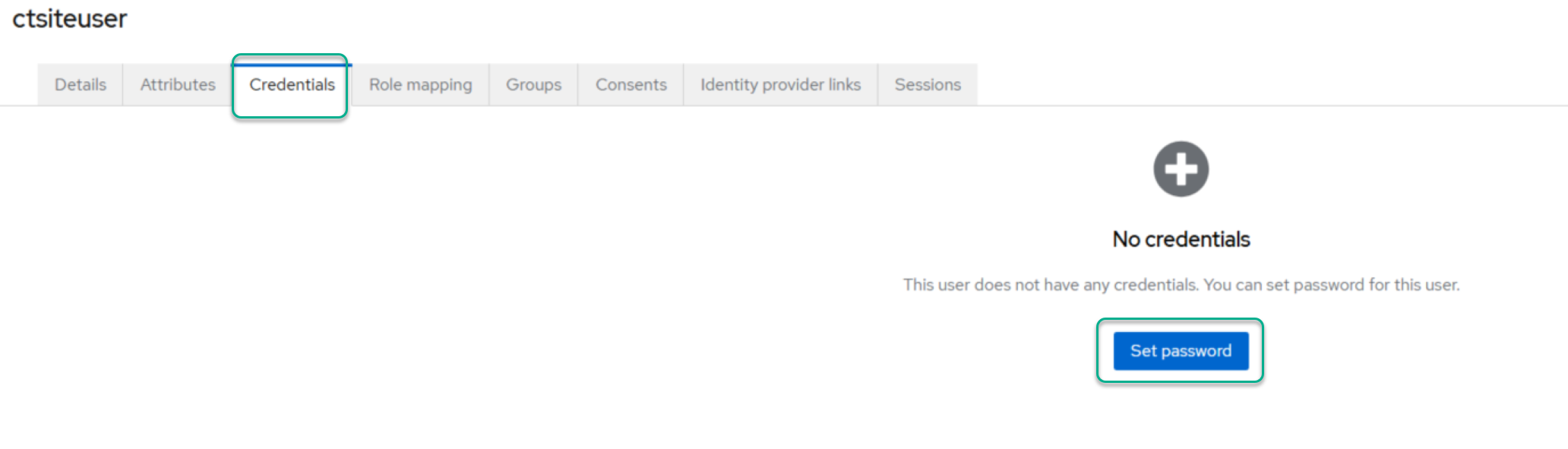
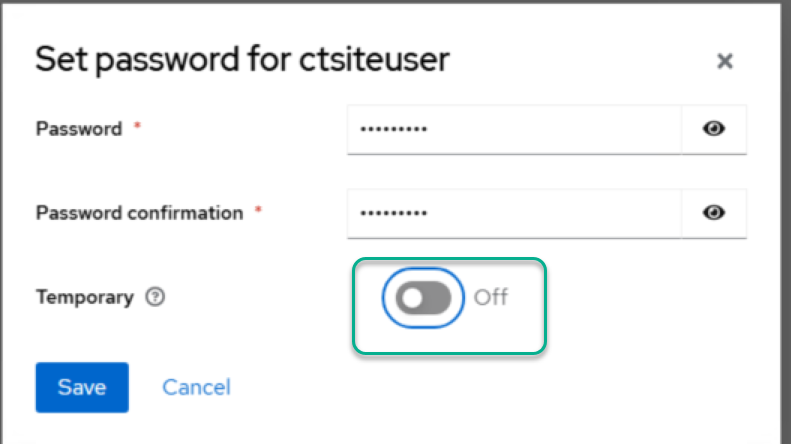
5.Set a password for the newly created user.
CompuTecAppEngine Discovery
With the operator and IAM user configured, you can now use these credentials in CompuTec AppEngine for SAP company discovery and activation.